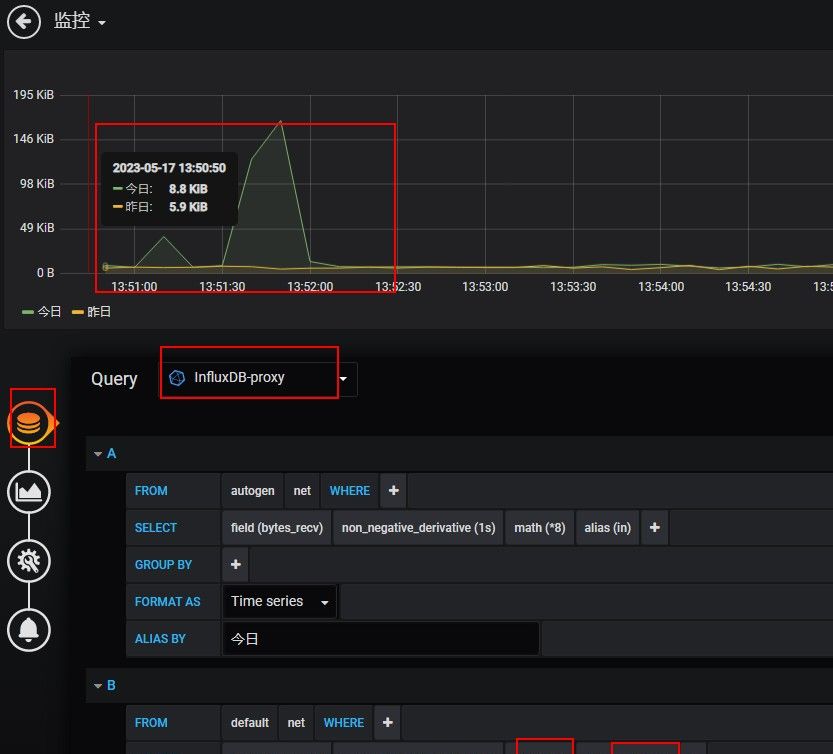
InfluxDB默认不支持timeshift的功能,要实现这个功能需要借助一个代理influxdb-timeshift-proxy。其原理是修改查询sql的时间区间,再转发给InfluxDB。
grafana 部署很简单
wget   https://dl.grafana.com/oss/release/grafana-6.4.4-1.x86_64.rpm
yum localinstall grafana-6.4.4-1.x86_64.rpm
systemctl start grafana-server
部署influxdb,配置源
vim  /etc/yum.repos.d/influxdb.repo
[influxdb]
name = InfluxDB Repository - RHEL $releasever
baseurl = https://repos.influxdata.com/rhel/$releasever/$basearch/stable
enabled = 1
gpgcheck = 1
gpgkey = https://repos.influxdata.com/influxdb.key

yum install -y influxdb    部署
systemctl start influxdb   启动
创建用户
CREATE USER influx WITH influx(password)   influx  WITH ALL PRIVILEGES
创建库
CREATE DATABASE telegraf
可通过修改配置文件  /etc/influxdb/influxdb.conf   修改数据存储位置或者启动端口。
systemctl restart influxdb   重启


部署telegraf
wget https://dl.influxdata.com/telegraf/releases/telegraf-1.12.5-1.x86_64.rpm
yum localinstall telegraf-1.12.5-1.x86_64.rpm
systemctl start telegraf
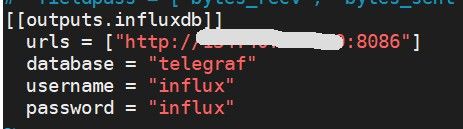
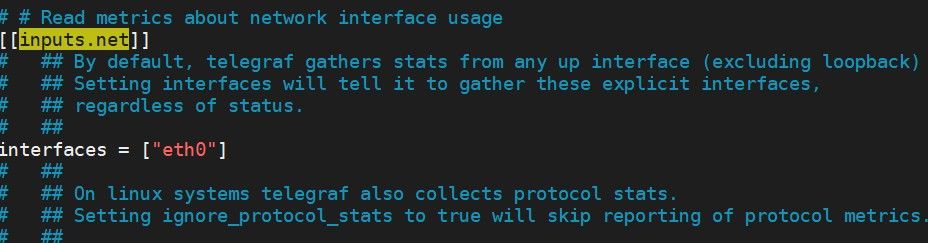
修改配置选择数据库,增加网络流量监控
vim /etc/telegraf/telegraf.conf
systemctl restart telegraf   重启
部署influxdb-timeshift-proxy
influxdb是无法实现数据对比,只能通过influxdb-timeshift-proxy实现
git clone https://github.com/maxsivanov/influxdb-timeshift-proxy.git
yum -y install  npm
cd  influxdb-timeshift-proxy
npm i
vim start.sh 内容:INFLUXDB=IP:8086 npm run start  > /tmp/influxdb.log &
sh start.sh
连接端口默认是  8089
grafana 增加influxdb-timeshift-proxy作为datasource
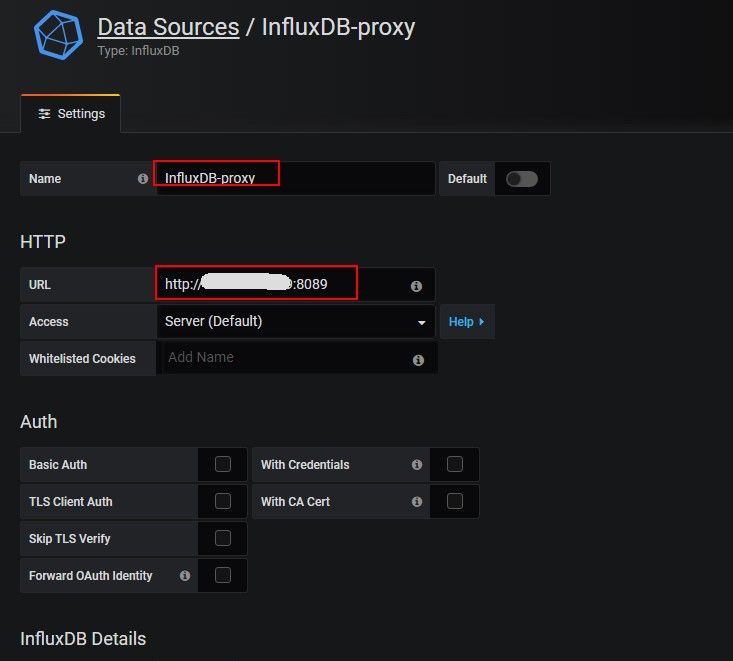
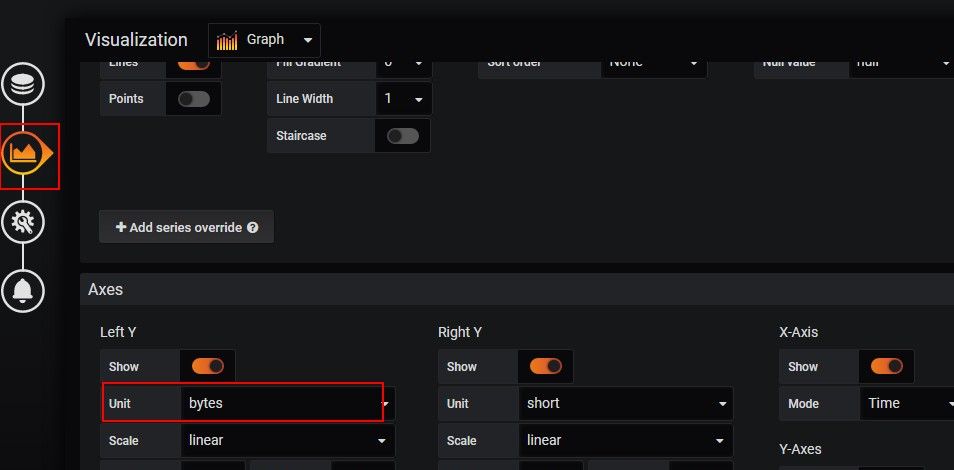
选择数据源influxDB-proxy,增加流量监控,设置延迟一天时间对比
© 版权声明
文章版权归作者所有,未经允许请勿转载。
相关文章



暂无评论...