
开篇:让程序”活”起来
大家好,我是”上位机开发之旅”!上一节我们学会了用变量”记住”信息,但光记住还不够,程序还需要能够:
- ➕ 计算:列如统计总分、计算平均分
- ⚖️ 比较:列如判断成绩是否及格、分数高低
- 判断:列如根据条件决定显示什么内容
今天我们就来学习让程序变”机智”的神奇工具——运算符!
一、算术运算符:程序的计算器
1.1 基础四则运算
using System;
class Calculator
{
    static void Main()
    {
        int a = 20;
        int b = 6;
        Console.WriteLine("=== 基础算术运算 ===");
        Console.WriteLine("a = " + a + ", b = " + b);
        Console.WriteLine("加法 a + b = " + (a + b));      // 26
        Console.WriteLine("减法 a - b = " + (a - b));      // 14
        Console.WriteLine("乘法 a * b = " + (a * b));      // 120
        Console.WriteLine("除法 a / b = " + (a / b));      // 3
        Console.WriteLine("取余 a % b = " + (a % b));      // 2(20÷6=3余2)
    }
}
根据上述代码运行结果如下图所示:
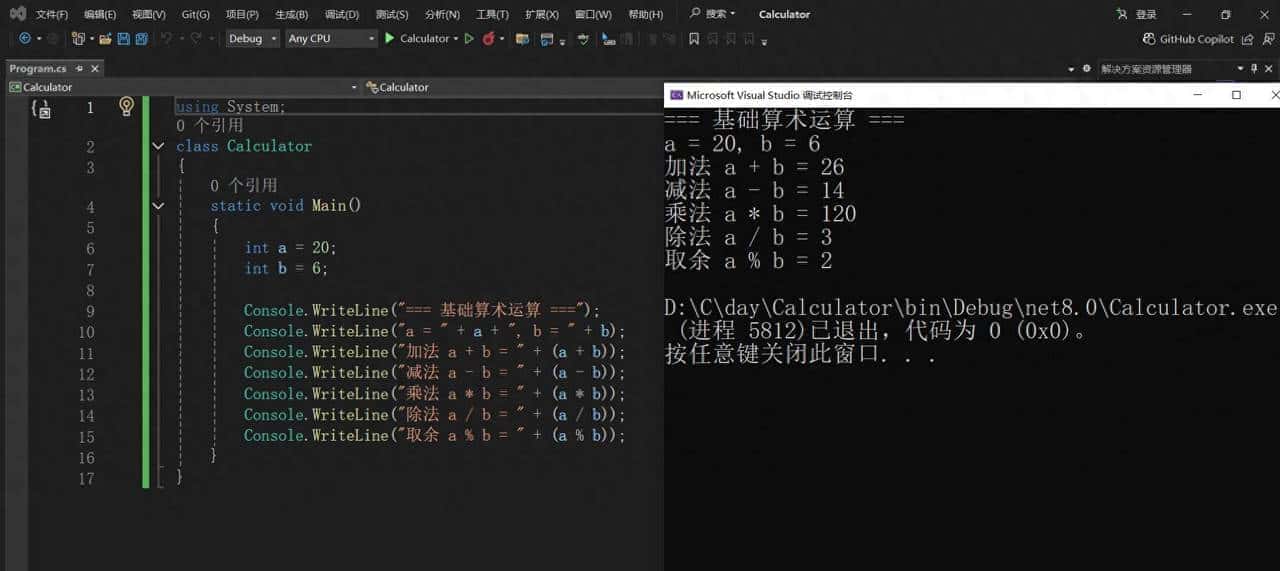
项目运行结果
1.2 实用案例:学生成绩统计
using System;

class ScoreCalculator
{
    static void Main()
    {
        // 三个科目的成绩
        int mathScore = 85;
        int englishScore = 92;
        int programScore = 78;
         // 计算总分和平均分
        int totalScore = mathScore + englishScore + programScore;
        double averageScore = totalScore / 3.0;  // 用3.0确保得到小数结果
        Console.WriteLine("=== 学生成绩统计 ===");
        Console.WriteLine("数学成绩:" + mathScore);
        Console.WriteLine("英语成绩:" + englishScore);
        Console.WriteLine("编程成绩:" + programScore);
        Console.WriteLine("总分:" + totalScore);
        Console.WriteLine("平均分:" + averageScore.ToString("0.00")); // 保留两位小数
    }
}
根据上述代码运行结果如下图所示:
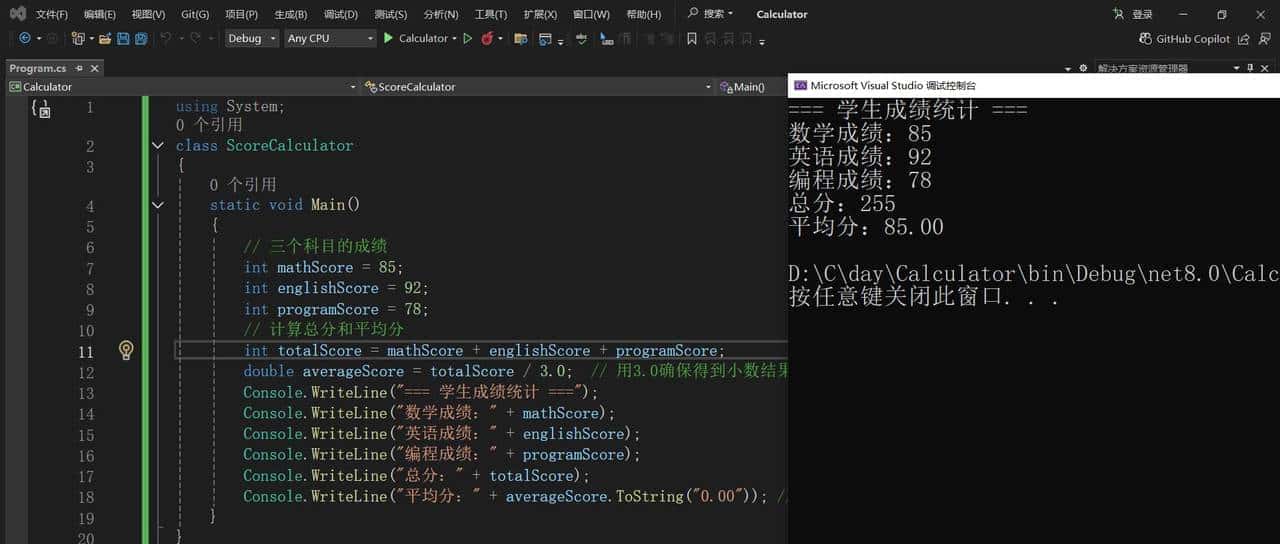
学生成绩统计项目运行结果
二、比较运算符:程序的裁判
比较运算符用来比较两个值,结果总是true或false。
2.1 六种比较方式
using System;
class CompareDemo
{
    static void Main()
    {
        int score1 = 85;
        int score2 = 90;
        int passScore = 60;
        Console.WriteLine("=== 成绩比较 ===");
        Console.WriteLine("成绩1:" + score1 + ", 成绩2:" + score2);
        Console.WriteLine("成绩1 > 成绩2: " + (score1 > score2));    // 大于
        Console.WriteLine("成绩1 < 成绩2: " + (score1 < score2));    // 小于
        Console.WriteLine("成绩1 >= 及格线: " + (score1 >= passScore)); // 大于等于
        Console.WriteLine("成绩2 <= 满分: " + (score2 <= 100));     // 小于等于
        Console.WriteLine("成绩1 == 85: " + (score1 == 85));        // 等于
        Console.WriteLine("成绩1 != 成绩2: " + (score1 != score2));   // 不等于
    }
}
根据上述代码运行结果如下图所示:
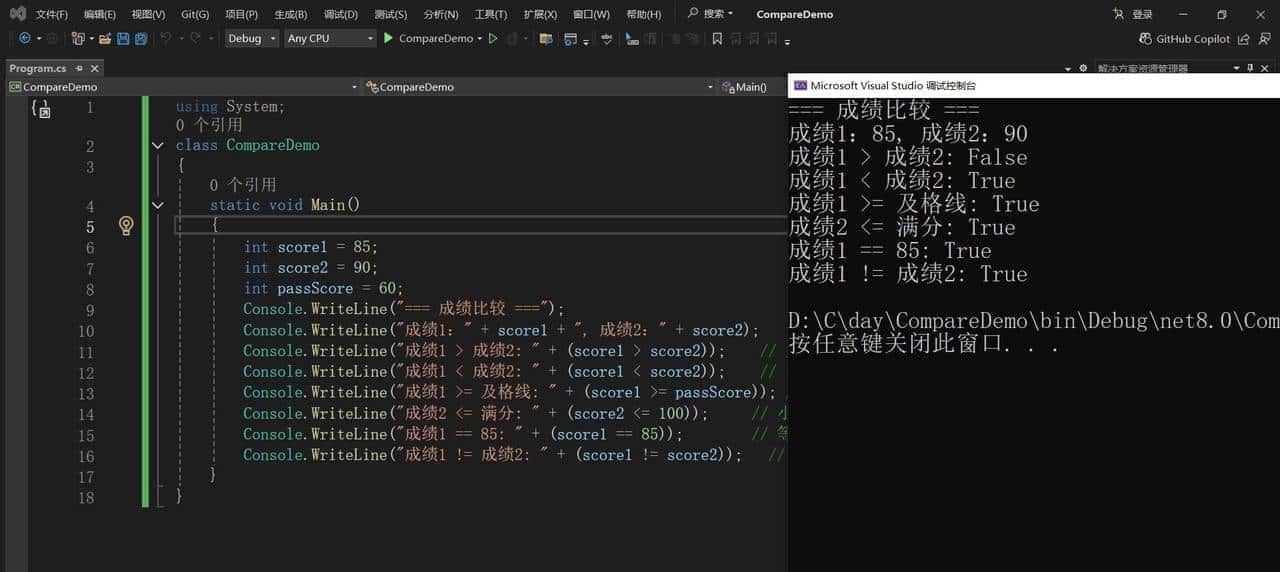
项目运行结果
2.2 实用案例:成绩评定系统
using System;
class ScoreEvaluation
{
    static void Main()
    {
        int score = 78;
        int passScore = 60;
        int excellentScore = 90;
        Console.WriteLine("=== 成绩评定 ===");
        Console.WriteLine("当前成绩:" + score);
        Console.WriteLine("是否及格:" + (score >= passScore));
        Console.WriteLine("是否优秀:" + (score >= excellentScore));
        Console.WriteLine("是否满分:" + (score == 100));
        Console.WriteLine("是否需要补考:" + (score < passScore));
    }
}
根据上述代码运行结果如下图所示:
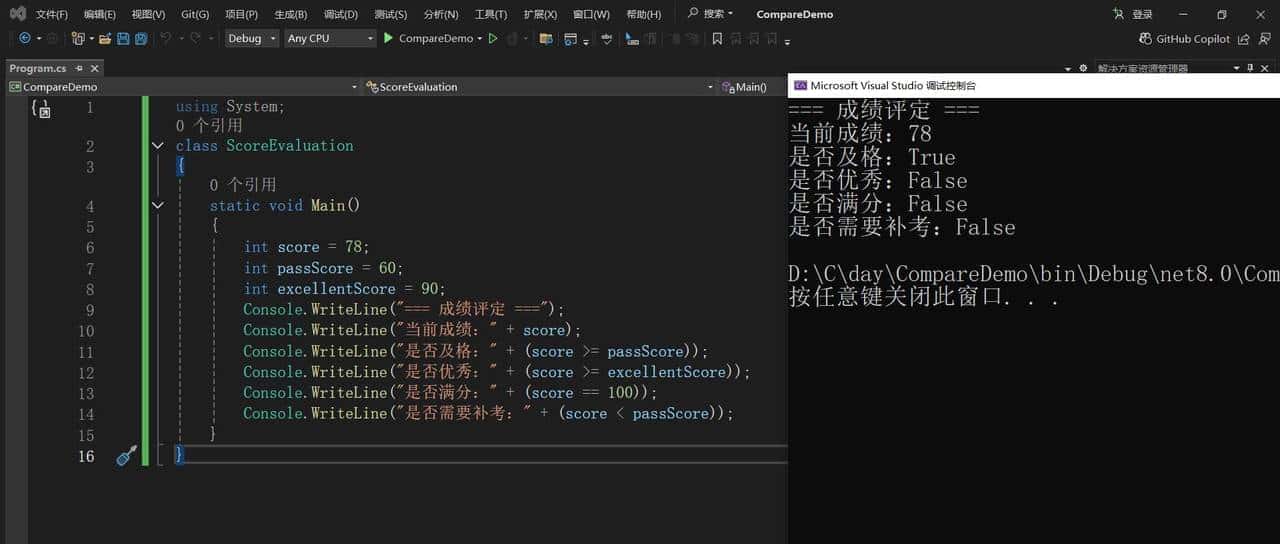
项目运行结果
三、逻辑运算符:程序的智能判断
3.1 三种逻辑运算
using System;

class LogicDemo
{
    static void Main()
    {
        bool hasHomework = true;
        bool hasExam = false;
        bool isWeekend = true;
        Console.WriteLine("=== 逻辑运算示例 ===");
        Console.WriteLine("有作业: " + hasHomework);
        Console.WriteLine("有考试: " + hasExam);
        Console.WriteLine("是周末: " + isWeekend);
        // &&:并且(两个条件都满足)
        Console.WriteLine("可以玩耍: " + (!hasHomework && !hasExam));
        // ||:或者(满足其中一个条件)
        Console.WriteLine("需要学习: " + (hasHomework || hasExam));
        // !:取反
        Console.WriteLine("没有作业: " + !hasHomework);
    }
}
根据上述代码运行结果如下图所示:
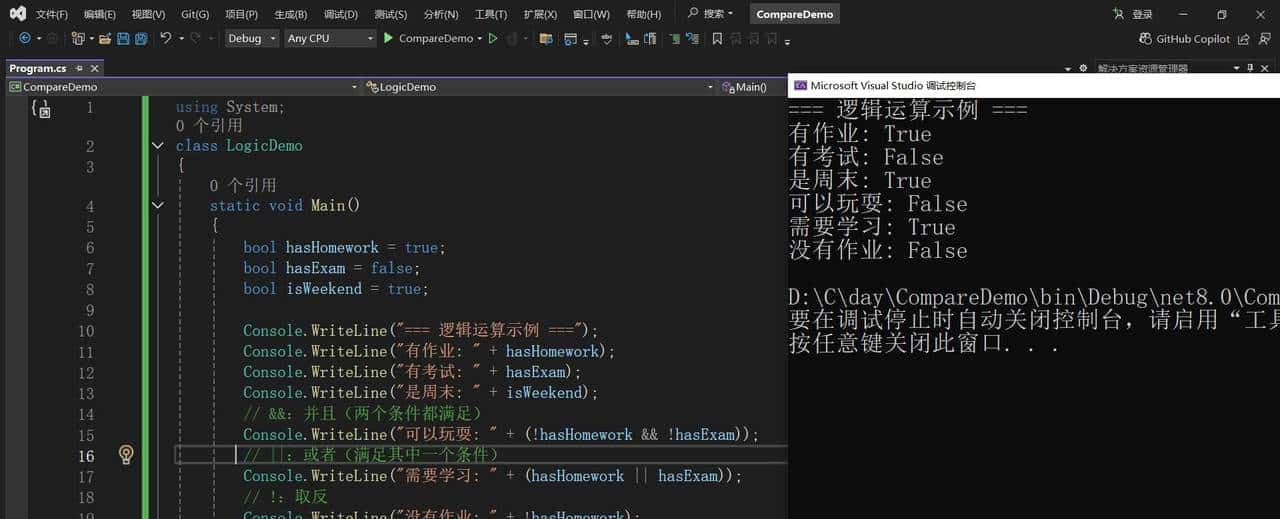
项目运行结果
3.2 实用案例:奖学金评定系统
using System;

class ScholarshipSystem
{
    static void Main()
    {
        int score = 92;
        bool hasGoodBehavior = true;
        bool noViolation = true;

        // 奖学金条件:成绩>=90 并且 行为良好 并且 无违纪
        bool canGetScholarship = (score >= 90) && hasGoodBehavior && noViolation;

        Console.WriteLine("=== 奖学金评定 ===");
        Console.WriteLine("学习成绩:" + score);
        Console.WriteLine("行为良好:" + hasGoodBehavior);
        Console.WriteLine("无违纪记录:" + noViolation);
        Console.WriteLine("符合奖学金条件:" + canGetScholarship);

        // 其他评定
        bool needImprove = (score < 70) || !hasGoodBehavior;
        Console.WriteLine("需要改善:" + needImprove);
    }
}
根据上述代码运行结果如下图所示:
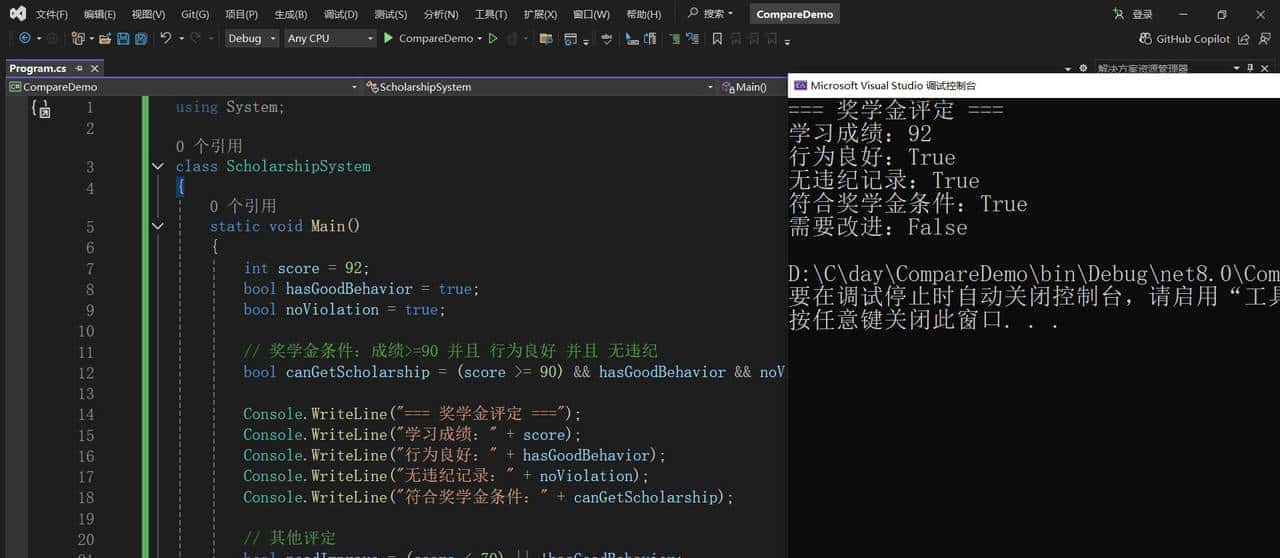
项目运行结果
四、综合实战:智能成绩分析系统
using System;

class SmartScoreAnalysis
{
    static void Main()
    {
        // 学生信息
        string studentName = "张小明";
        int mathScore = 88;
        int englishScore = 75;
        int programScore = 92;

        // 计算统计值
        int totalScore = mathScore + englishScore + programScore;
        double averageScore = totalScore / 3.0;

        // 各种判断条件
        bool isAllPass = (mathScore >= 60) && (englishScore >= 60) && (programScore >= 60);
        bool hasExcellent = (mathScore >= 90) || (englishScore >= 90) || (programScore >= 90);
        bool hasFail = (mathScore < 60) || (englishScore < 60) || (programScore < 60);
        bool isTopStudent = (averageScore >= 90) && !hasFail;

        Console.WriteLine("=== 智能成绩分析系统 ===");
        Console.WriteLine("学生姓名:" + studentName);
        Console.WriteLine("数学成绩:" + mathScore);
        Console.WriteLine("英语成绩:" + englishScore);
        Console.WriteLine("编程成绩:" + programScore);
        Console.WriteLine("平均成绩:" + averageScore.ToString("0.0"));

        Console.WriteLine("
=== 分析结果 ===");
        Console.WriteLine("所有科目及格:" + (isAllPass ? "✅" : "❌"));
        Console.WriteLine("有优秀科目:" + (hasExcellent ? "✅" : "❌"));
        Console.WriteLine("有不及格科目:" + (hasFail ? "❌" : "✅"));
        Console.WriteLine("优秀学生:" + (isTopStudent ? "" : "需努力"));

        // 给出提议
        if (mathScore < englishScore)
        {
            Console.WriteLine(" 提议:数学需要加强");
        }

        if (programScore > 90)
        {
            Console.WriteLine(" 亮点:编程能力突出");
        }
    }
}
根据上述代码运行结果如下图所示:
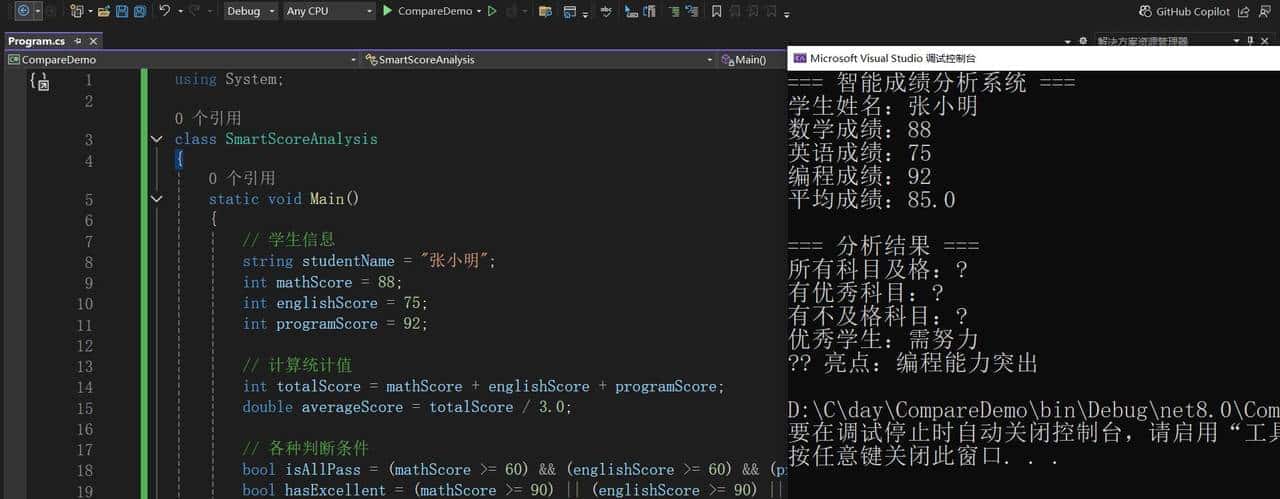
项目运行结果
五、运算符优先级(重大致念)
当多个运算符一起使用时,执行顺序很重大:
using System;

class PriorityDemo
{
    static void Main()
    {
        int a = 10;
        int b = 5;
        int c = 2;

        // 先乘除后加减
        int result1 = a + b * c;      // 10 + (5×2) = 20
        int result2 = (a + b) * c;    // (10+5)×2 = 30

        Console.WriteLine("a + b * c = " + result1);
        Console.WriteLine("(a + b) * c = " + result2);

        // 逻辑运算优先级:! > && > ||
        bool x = true;
        bool y = false;
        bool z = true;

        bool result3 = !x && y || z;  // ((!true) && false) || true = true
        Console.WriteLine("!x && y || z = " + result3);
    }
}
根据上述代码运行结果如下图所示:
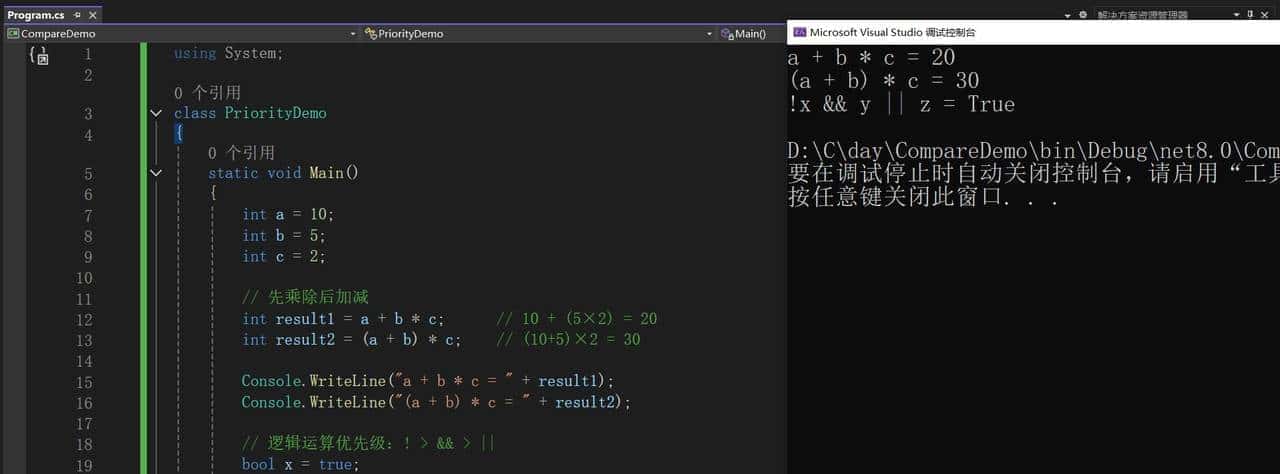
项目运行结果
六、核心知识点总结
|
运算符类型 |
符号 |
用途 |
示例 |
|
算术运算符 |
+ – * / % |
数学计算 |
a + b |
|
比较运算符 |
> < >= <= == != |
比较大小 |
score > 60 |
|
逻辑运算符 |
&& || ! |
逻辑判断 |
a>0 && b>0 |
七、下篇预告
《【C#上位机打地基⑤】条件判断if-else:让程序会”做选择”》

觉得这个学习计划对你有协助?点个赞让我知道!
想要及时看到更新?记得关注哦!
号主:上位机开发之旅
日期:2025年11月14日
© 版权声明
文章版权归作者所有,未经允许请勿转载。
相关文章




暂无评论...