
YOLO (You Only Look Once),由华盛顿大学的Joseph Redmon和Ali Farhadi开发的流行目标检测和图像分割模型,于2015年推出,由于其高速和准确性而迅速流行。
YOLOv2 在2016年发布,通过引入批量归一化、锚框和维度聚类来改善了原始模型。
YOLOv3 在2018年推出,进一步增强了模型的性能,使用了更高效的主干网络、多个锚点和空间金字塔池化。
YOLOv4 在2020年发布,引入了Mosaic数据增强、新的无锚检测头和新的损失函数等创新功能。
YOLOv5 进一步改善了模型的性能,并增加了新功能,如超参数优化、集成实验跟踪和自动导出到常用的导出格式。
YOLOv6 在2022年由美团开源,目前正在该公司的许多自动送货机器人中使用。
YOLOv7 在COCO关键点数据集上添加了额外的任务,如姿态估计。
YOLOv8 是Ultralytics的YOLO的最新版本。作为一种前沿、最先进(SOTA)的模型,YOLOv8在之前版本的成功基础上引入了新功能和改善,以提高性能、灵活性和效率。YOLOv8支持全范围的视觉AI任务,包括检测, 分割, 姿态估计, 跟踪, 和分类。这种多功能性使用户能够利用YOLOv8的功能应对多种应用和领域的需求。
一、效果展示
人物识别
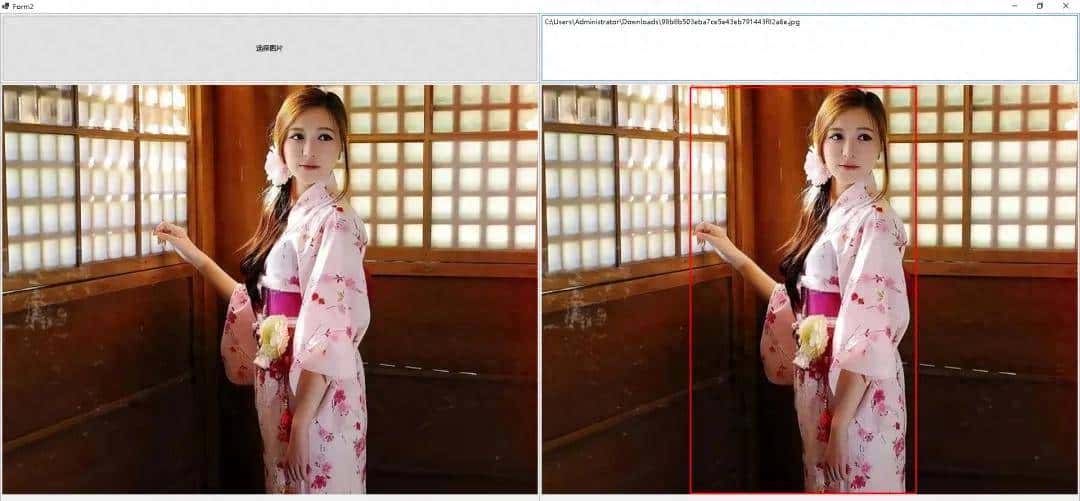
动槙物识别
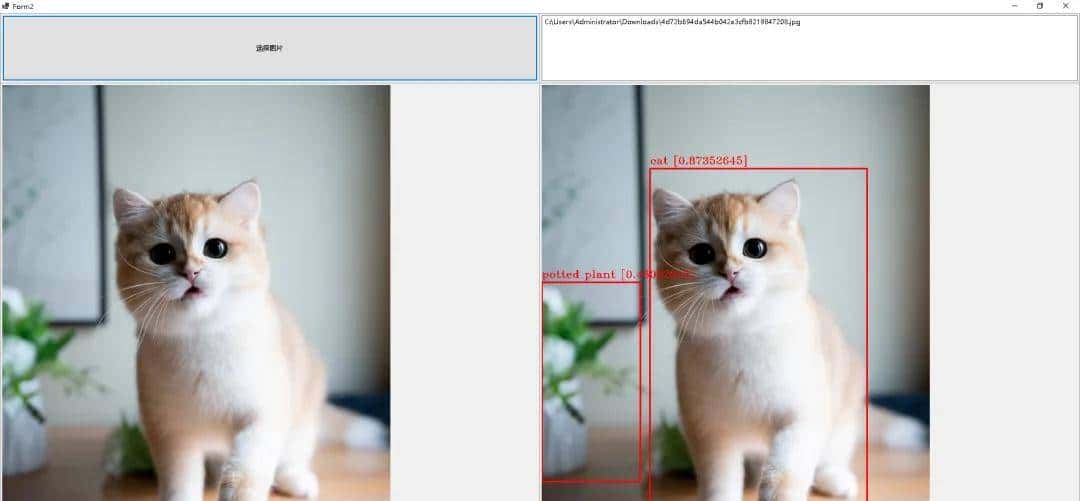
动物识别
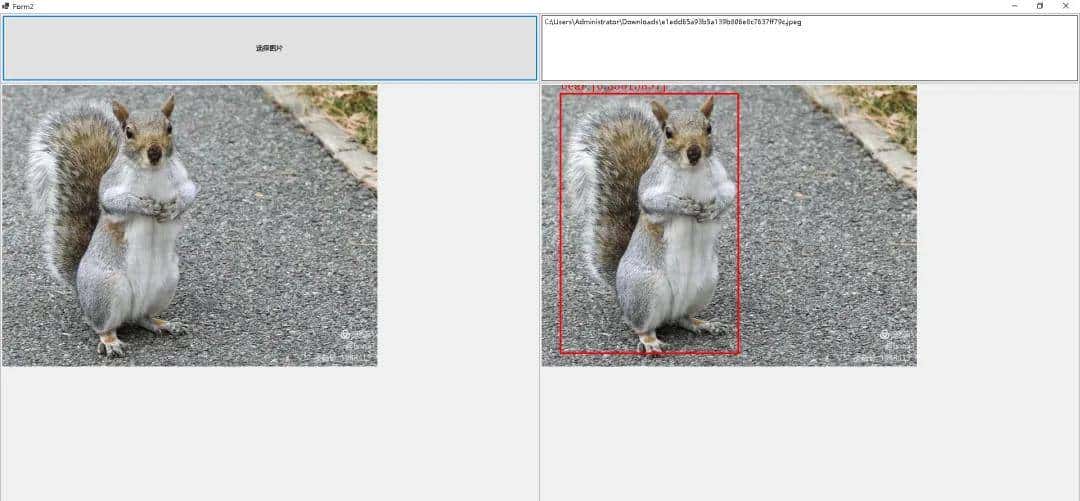
二、VS2022
界面设计
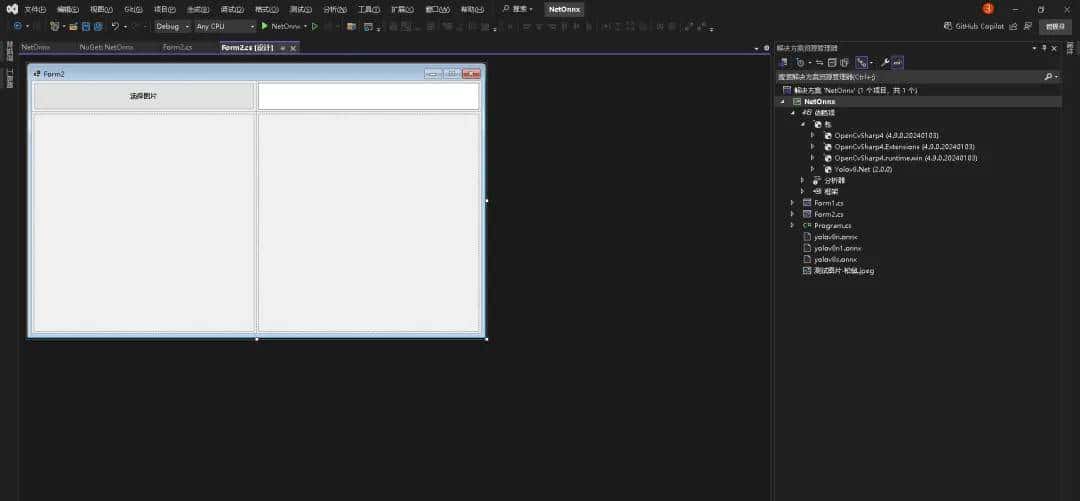
.NET8环境
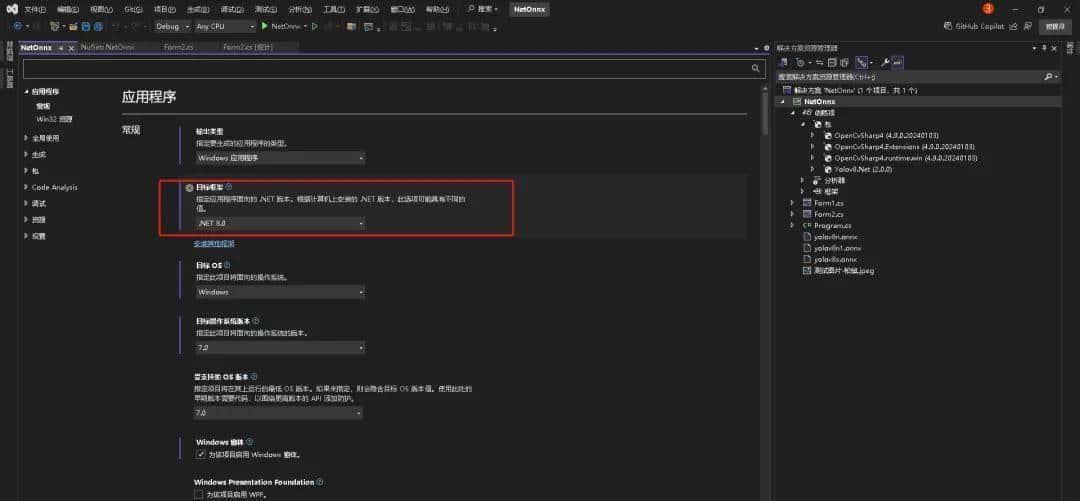
NuGet安装Yolov8Net、OpenCvSharp
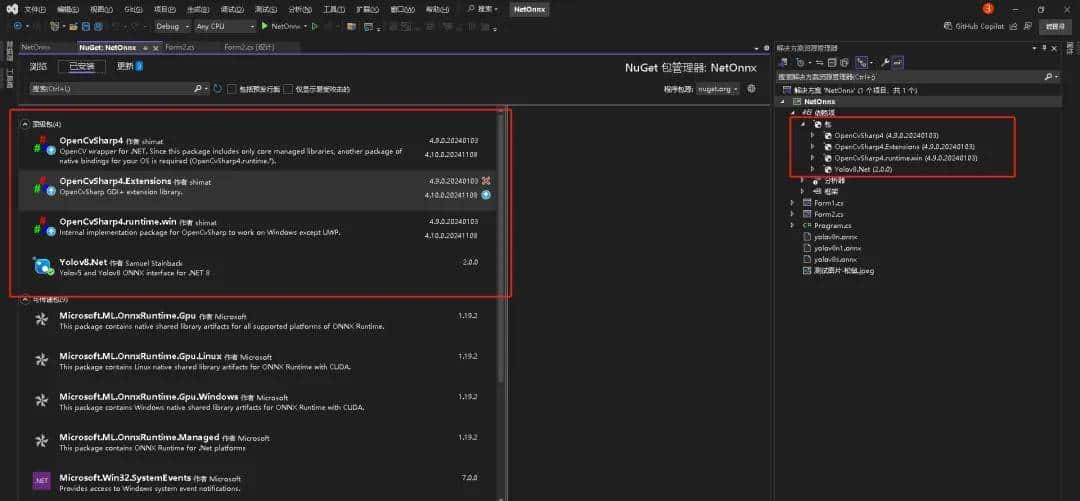
引用Yolov8Net和训练模型(下期讲解如何训练自己的模型)
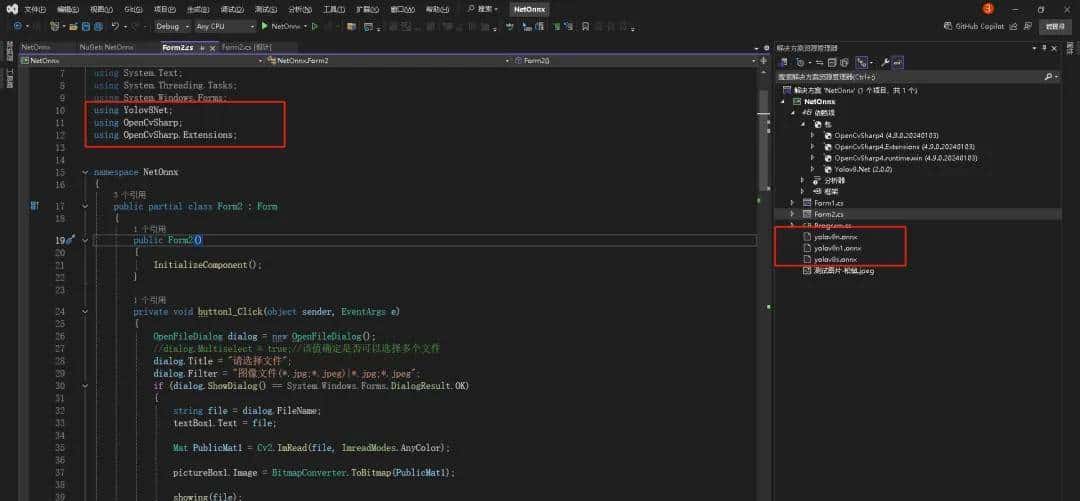
三、代码实现
引用dll
using Yolov8Net;
using OpenCvSharp;
using OpenCvSharp.Extensions;
选择图片
private void button1_Click(object sender, EventArgs e)
{
	OpenFileDialog dialog = new OpenFileDialog();
	//dialog.Multiselect = true;//该值确定是否可以选择多个文件
	dialog.Title = "请选择文件";
	dialog.Filter = "图像文件(*.jpg;*.jpeg)|*.jpg;*.jpeg";
	if (dialog.ShowDialog() == System.Windows.Forms.DialogResult.OK)
	{
		string file = dialog.FileName;
		textBox1.Text = file;


		Mat PublicMat1 = Cv2.ImRead(file, ImreadModes.AnyColor);


		pictureBox1.Image = BitmapConverter.ToBitmap(PublicMat1);


		showing(file);
	}
}
开始识别
private void showing(string picPath)
{
	//加载模型
	using var yolo = YoloV8Predictor.Create("models\yolov8n1.onnx");
	var img = SixLabors.ImageSharp.Image.Load(picPath);
	//读取照片
	var predictions = yolo.Predict(img);


	//画图
	var color = Scalar.Red;
	Mat PublicMat1 = Cv2.ImRead(picPath, ImreadModes.AnyColor);
	foreach (var pred in predictions)
	{
		var originalImageHeight = img.Height;
		var originalImageWidth = img.Width;


		int x = (int)Math.Round(Math.Max(pred.Rectangle.X, 0));//确保X值不小于0,如果小于0,则x等于0
		int y = (int)Math.Round(Math.Max(pred.Rectangle.Y, 0));//确保Y值不小于0,如果小于0,则y等于0
		int width = (int)Math.Round(Math.Min(originalImageWidth - x, pred.Rectangle.Width));
		int height = (int)Math.Round(Math.Min(originalImageHeight - y, pred.Rectangle.Height));


		//画方框
		Cv2.Rectangle(PublicMat1, new Rect(x, y, width, height), color, 2);


		// 标签文本
		string text = $"{pred.Label.Name} [{pred.Score}]";
		Cv2.PutText(PublicMat1, text, new OpenCvSharp.Point(x, y - 8), HersheyFonts.HersheyTriplex, 0.6, color);


	}
	pictureBox2.Image = BitmapConverter.ToBitmap(PublicMat1);
}© 版权声明
文章版权归作者所有,未经允许请勿转载。














识别技术好实用哇
这技术真厉害啊
收藏了,感谢分享
结果是什么?