【更新时间: 2022-07-15】
一、官方下载网站
www.editplus.com
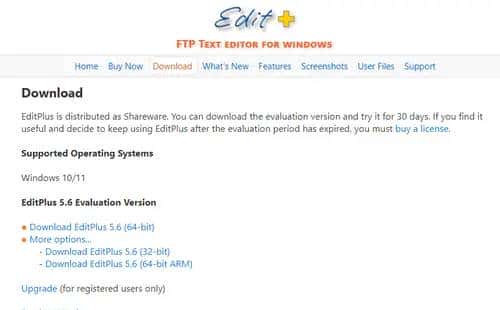
二、支持的操作系统
Windows 10/11
三、5.6新特性(2022-06-27)
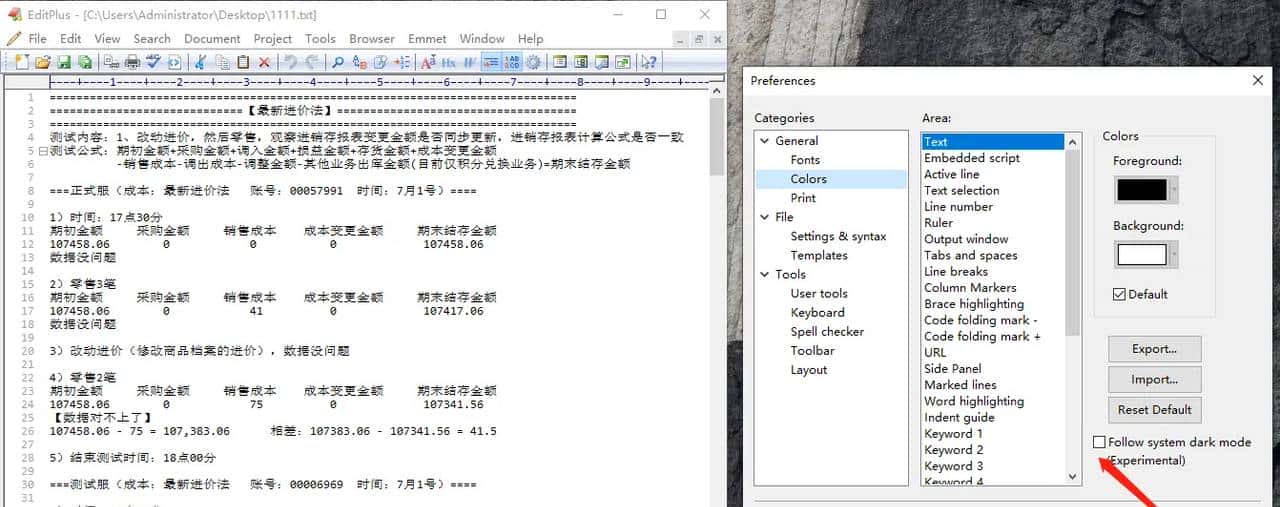
1、支持跟随系统暗模式
- Supports Windows 10/11 dark mode ( Preferences -> Colors -> Follow system dark mode )
- 支持 Windows 10/11 暗模式( 首选项 -> 颜色 -> 跟随系统暗模式 )
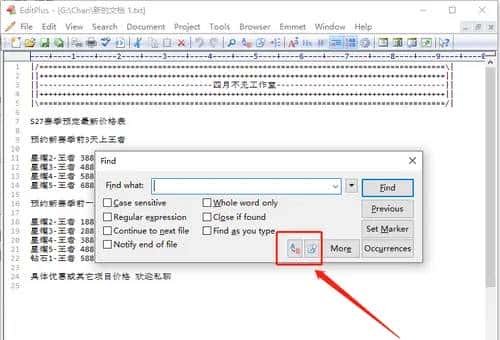
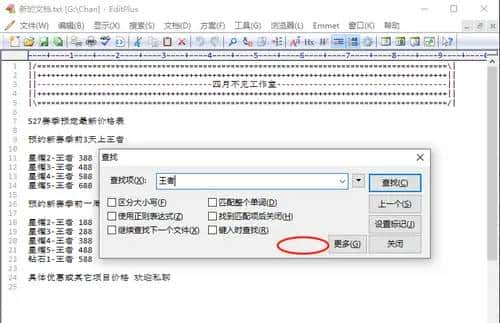
2、“查找”对话框新加按钮
- Adds a button in the Find dialog box that opens Replace dialog box.
- Adds a button in the Find dialog box that opens Find in Files dialog box.
- 在“查找”对话框中添加一个用于打开“替换”对话框的按钮。
- 在“查找”对话框中添加一个按钮,用于打开“在文件中查找”对话框。
5.6 版本可以在“Find”对话框直接点击如下两个按钮跳转到“替换”或“在文件中查找”对话框。
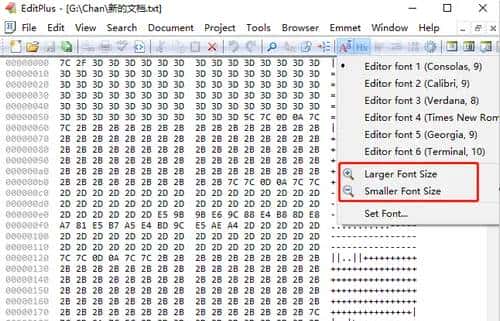
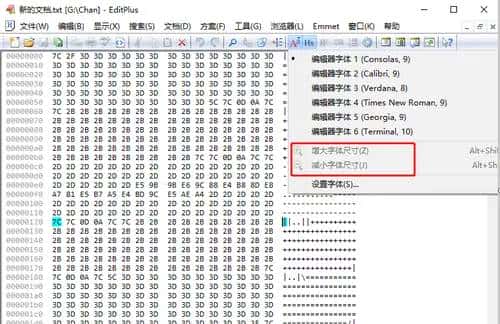
3、十六进制查看器优化
- Allows Larger Font Size and Smaller Font Size commands in hex viewer mode.
- 允许在十六进制查看器模式下使用“较大字体”和“较小字体”命令。
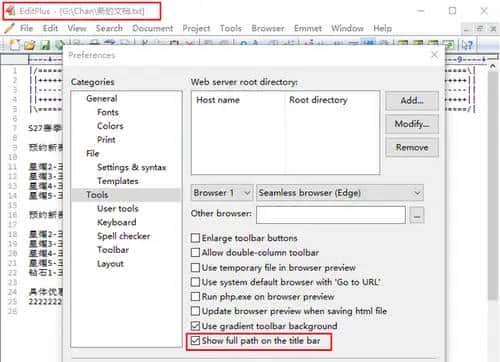
4、在标题栏中显示完整路径
- Show full path in the title bar option ( Preferences -> Tools ).
- “在标题栏中显示完整路径”选项(“首选项”->“工具”)。
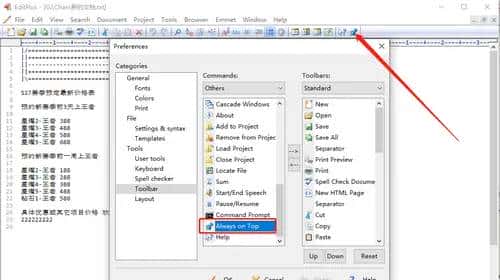
5、 Always on Top 可以到添加工具栏
- Adds a toolbar button for Always on Top command.
- 为“始终在顶部”命令添加工具栏按钮。
四、其它版本更新信息
www.editplus.com/new.html
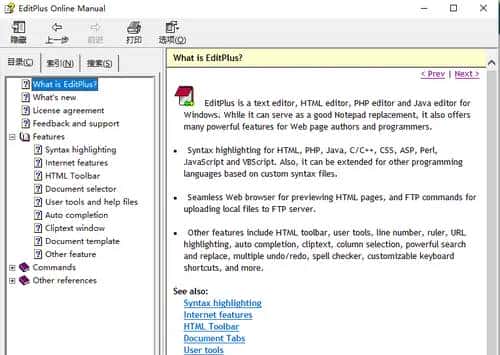
五、联机手册
手册位置:安装目录下的 editplus.chm 文件。

© 版权声明
文章版权归作者所有,未经允许请勿转载。
相关文章




暂无评论...