一、问题
编译IMX6ULL野火裸机串口程序出现错误:
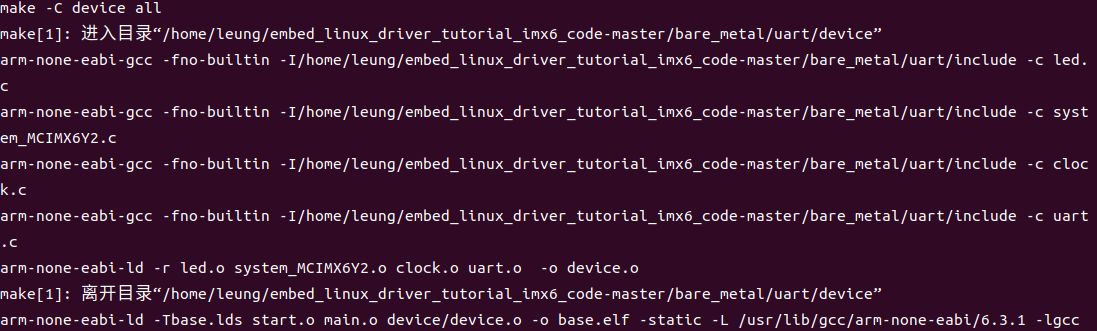
make[1]: 进入目录“/home/leung/embed_linux_driver_tutorial_imx6_code-master/bare_metal/uart/device”
arm-none-eabi-gcc -fno-builtin -I/home/leung/embed_linux_driver_tutorial_imx6_code-master/bare_metal/uart/include -c led.c
arm-none-eabi-gcc -fno-builtin -I/home/leung/embed_linux_driver_tutorial_imx6_code-master/bare_metal/uart/include -c system_MCIMX6Y2.c
arm-none-eabi-gcc -fno-builtin -I/home/leung/embed_linux_driver_tutorial_imx6_code-master/bare_metal/uart/include -c clock.c
arm-none-eabi-gcc -fno-builtin -I/home/leung/embed_linux_driver_tutorial_imx6_code-master/bare_metal/uart/include -c uart.c
arm-none-eabi-ld -r led.o system_MCIMX6Y2.o clock.o uart.o  -o device.o
make[1]: 离开目录“/home/leung/embed_linux_driver_tutorial_imx6_code-master/bare_metal/uart/device”
arm-none-eabi-ld -Tbase.lds start.o main.o device/device.o -o base.elf -static -L /usr/lib/gcc/arm-none-eabi/6.3.1 -lgcc
arm-none-eabi-ld: cannot find -lgcc: 没有那个文件或目录
make: *** [makefile:9:all] 错误 1
二、缘由
由于arm-none-eabi-gcc的版本比较高,不支持以上指令。
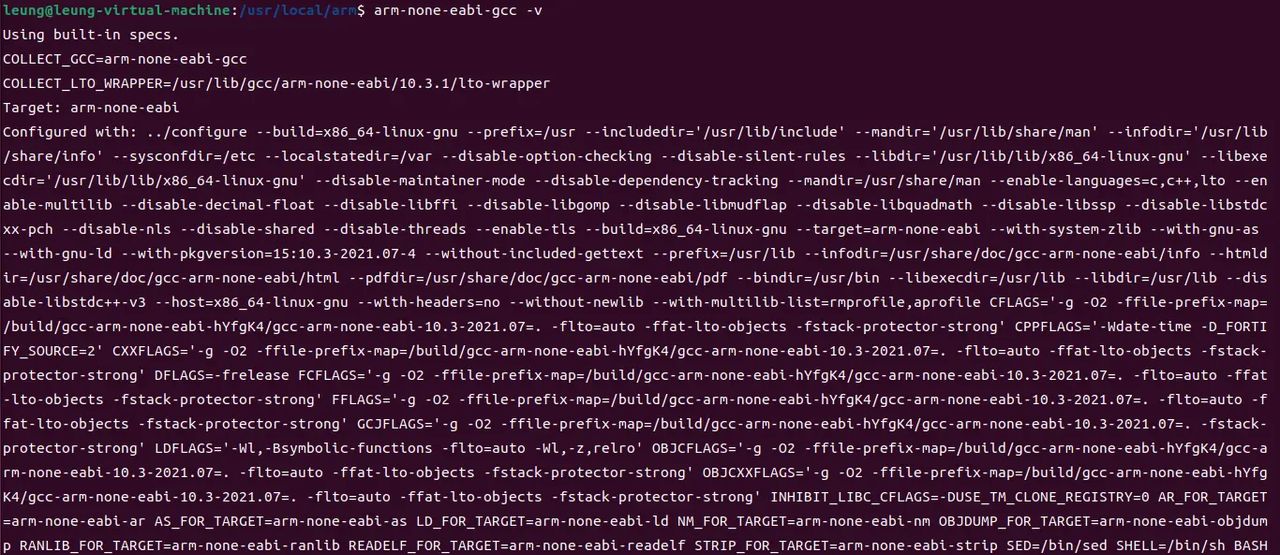
查看当前gcc版本:
arm-none-eabi-gcc -v
当前版本为10.3.1
三、解决方法
3.1 下载Linaro GCC
Linaro 是一间由ARM发起,与其它ARM SOC公司共同投资的非盈利性质的开放源代码软件工程公司,Linaro 开发了许多软件,最著名的就是 Linaro GCC 编译工具链(编译器)。
官网下载:
【老版本,稳定版】https://releases.linaro.org/components/toolchain/binaries/
【新版本,开发版】https://snapshots.linaro.org/gnu-toolchain/
百度网盘:https://pan.baidu.com/s/1w7-PwMcCwXZpOhjfQYFxQg?pwd=2jh0 提取码:2jh0
-
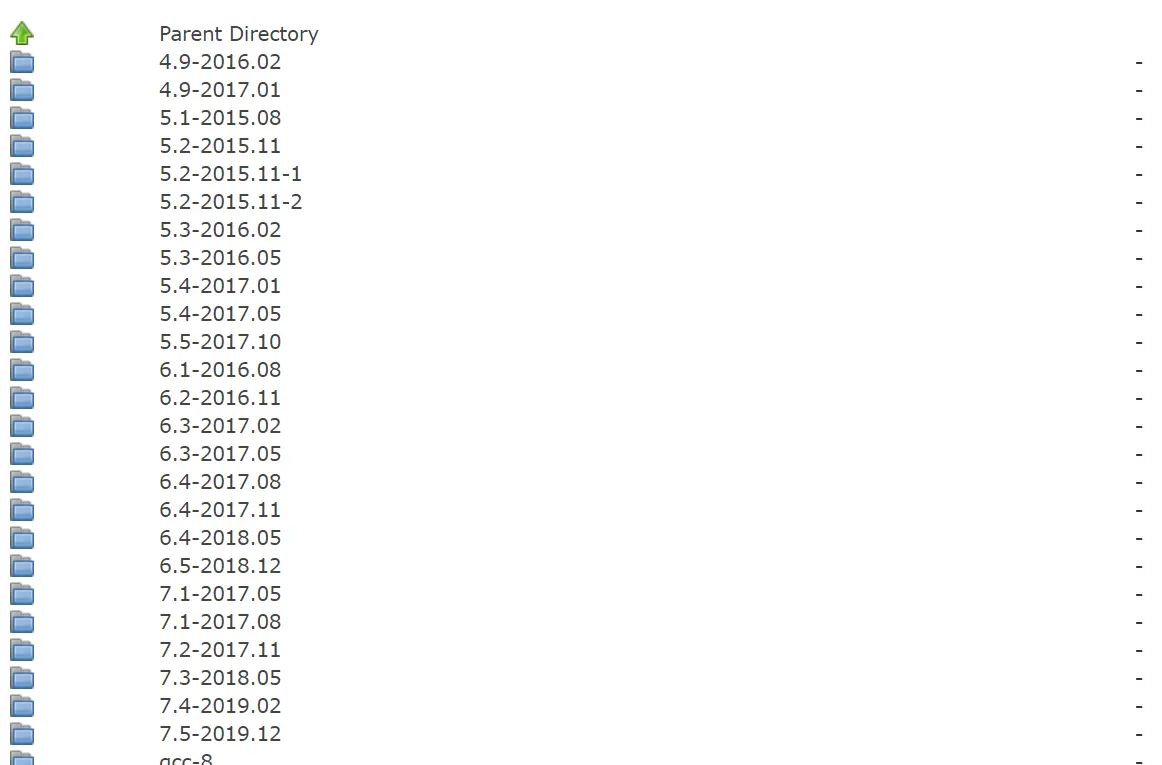
选择版本号

-
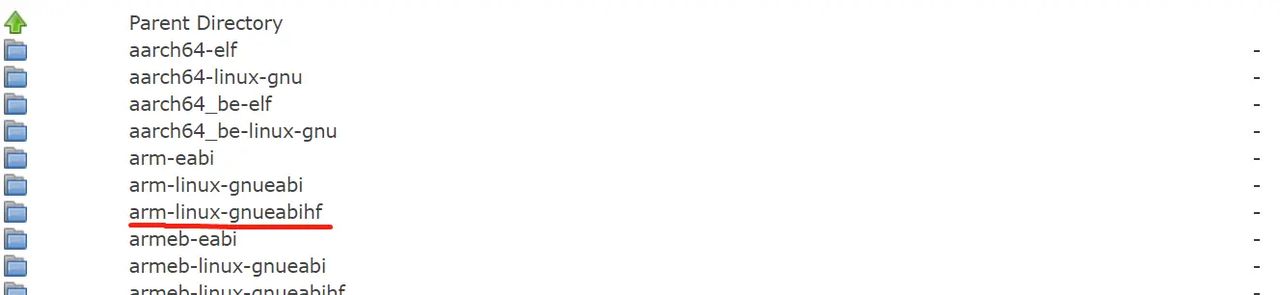
选择ARM架构类型
-
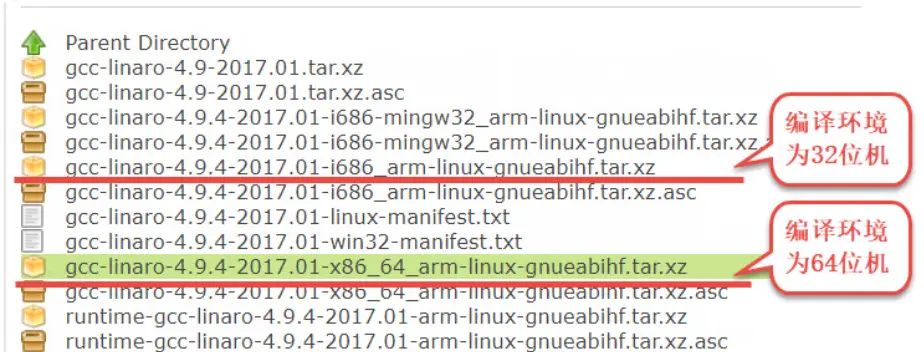
选择具体的编译器平台
-
创建存放编译器的目录
sudo mkdir /usr/local/arm -
将编译器复制到刚刚的目录
sudo cp gcc-linaro-7.5.0-2019.12-x86_64_arm-linux-gnueabihf.tar.xz /usr/local/arm/ -f -
将编译器工具进行解压
sudo tar -vxf gcc-linaro-7.5.0-2019.12-x86_64_arm-linux-gnueabihf.tar.xz -
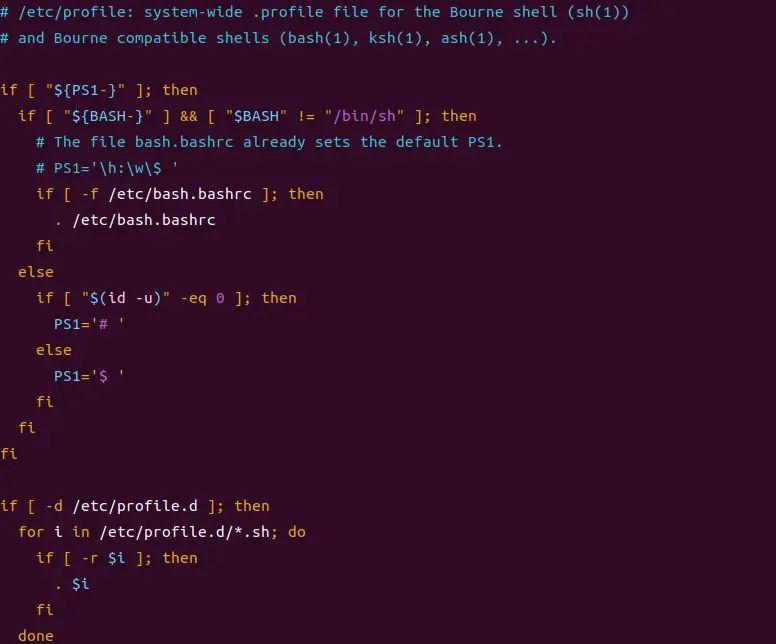
修改环境变量,使编译器永久生效
使用 VI 打开/etc/profile 文件:
sudo vi /etc/profile
打开/etc/profile 后来,在最后面输入如下所示内容:
export PATH=$PATH:/usr/local/arm/gcc-linaro-7.5.0-2019.12-x86_64_arm-linux-gnueabihf/bin -
修改好后来就保存退出,重启系统,交叉编译工具链(编译器)就安装成功了
sudo reboot -
安装完成后使用如下命令查看版本
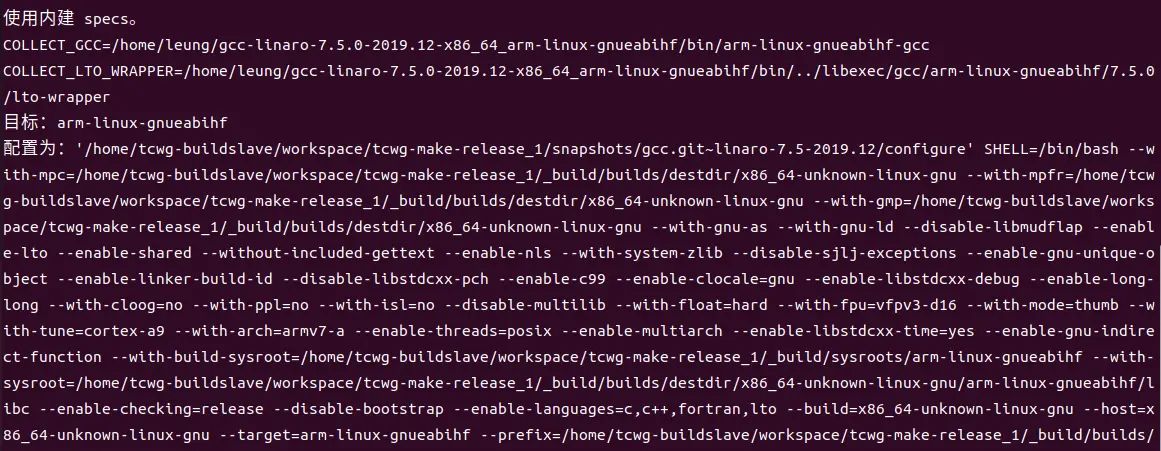
arm-linux-gnueabihf-gcc –v -
如果是Linaro 4.9的老版本编译器,还需要安装额外的库
sudo apt-get install lsb-core lib32stdc++6
3.2 修改makefile
-
使用 VIM 打开/embed_linux_driver_tutorial_imx6_code-master/bare_metal/uart/makefile 文件:
vim makefile -
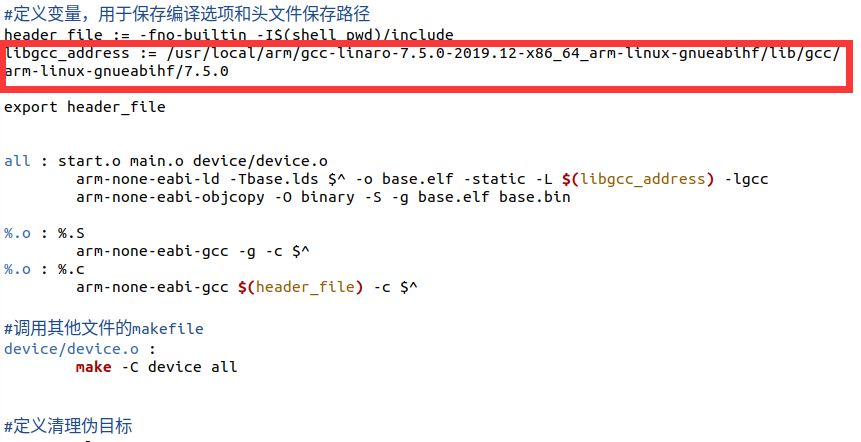
将 libgcc_address := /usr/lib/gcc/arm-none-eabi/6.3.1 修改为 /usr/local/arm/gcc-linaro-7.5.0-2019.12-x86_64_arm-linux-gnueabihf/lib/gcc/arm-linux-gnueabihf/7.5.0
修改后: -
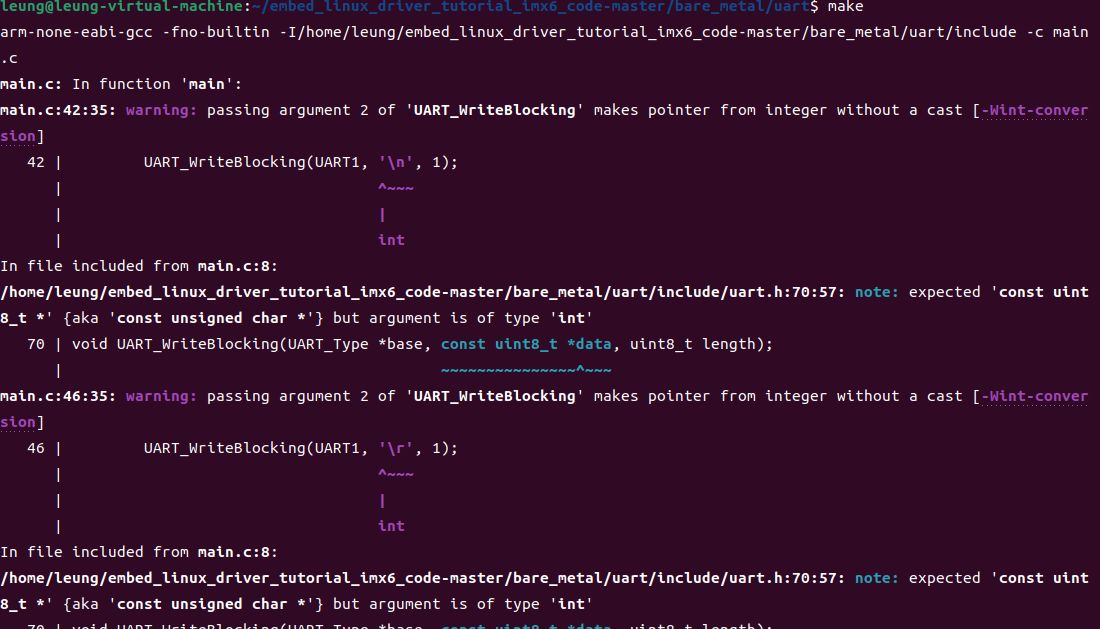
出现其他错误 undefined reference to `raise
arm-none-eabi-ld -Tbase.lds start.o main.o device/device.o -o base.elf -static -L /usr/local/arm/gcc-linaro-7.5.0-2019.12-x86_64_arm-linux-gnueabihf/lib/gcc/arm-linux-gnueabihf/7.5.0 -lgcc
arm-none-eabi-ld: /usr/local/arm/gcc-linaro-7.5.0-2019.12-x86_64_arm-linux-gnueabihf/lib/gcc/arm-linux-gnueabihf/7.5.0/libgcc.a(_dvmd_lnx.o): in function `__aeabi_ldiv0 :
/home/tcwg-buildslave/workspace/tcwg-make-release_1/snapshots/gcc.git~linaro-7.5-2019.12/libgcc/config/arm/lib1funcs.S:1545: undefined reference to `raise
make: *** [makefile:9:all] 错误 1
- 在main.c中添加以下函数
int raise(void)
{
    return 0;
}
-
重新编译成功
• 由 Leung 写于 2023 年 3 月 30 日
© 版权声明
文章版权归作者所有,未经允许请勿转载。
相关文章




暂无评论...