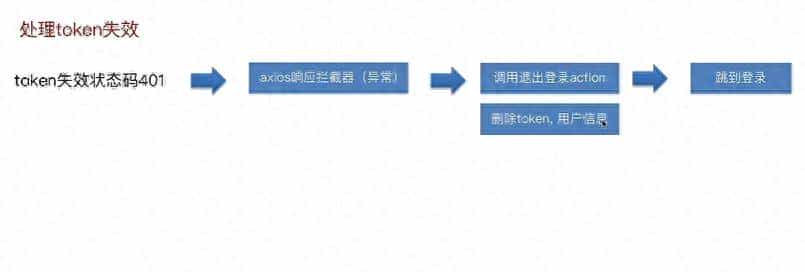
token失效后应该删除token使其跳转至登录页面,而不是报401错误。
1.在request.js的拦截器的位置添加401的判断,在此进行token的删除和跳转
跳转要导入路由
import { router } from '@/router'
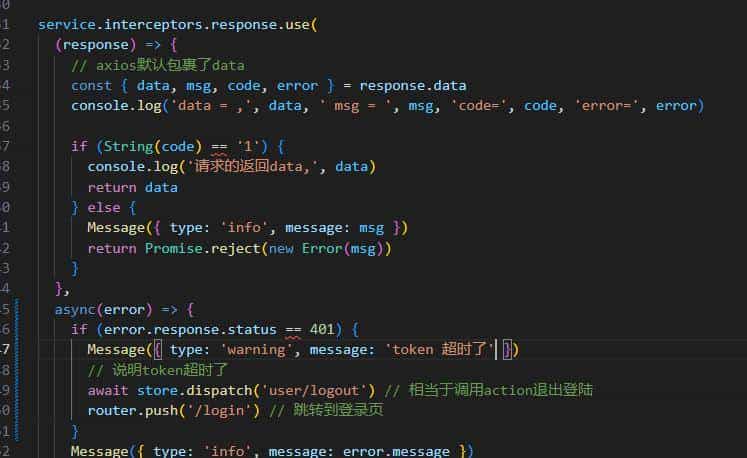
async(error) => {
    if (error.response.status == 401) {
    Message({ type: 'warning', message: 'token 超时了' })
    // 说明token超时了
    await store.dispatch('user/logout') // 相当于调用action退出登陆
    router.push('/login') // 跳转到登录页
    }
    Message({ type: 'info', message: error.message })
    return Promise.reject(error)
    }
2.在store/user.js添加token删除action logout
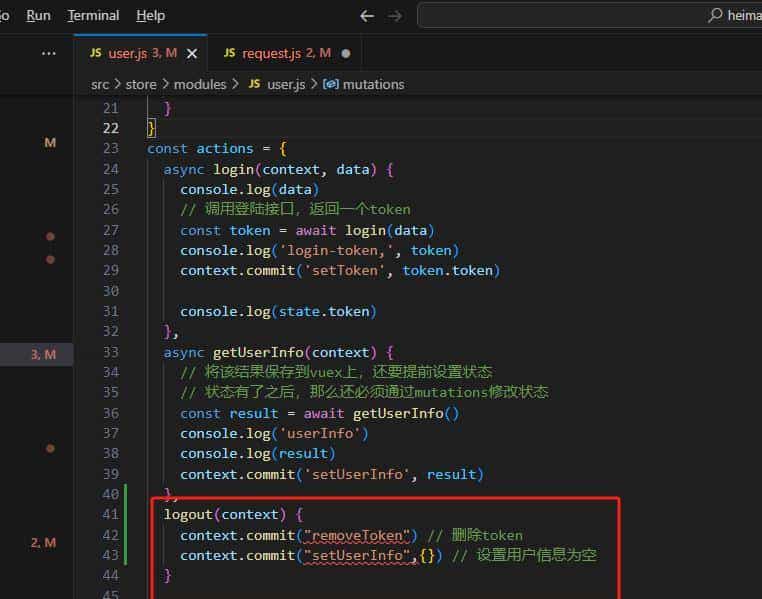
logout(context) {
    context.commit("removeToken") // 删除token
    context.commit("setUserInfo",{}) // 设置用户信息为空
}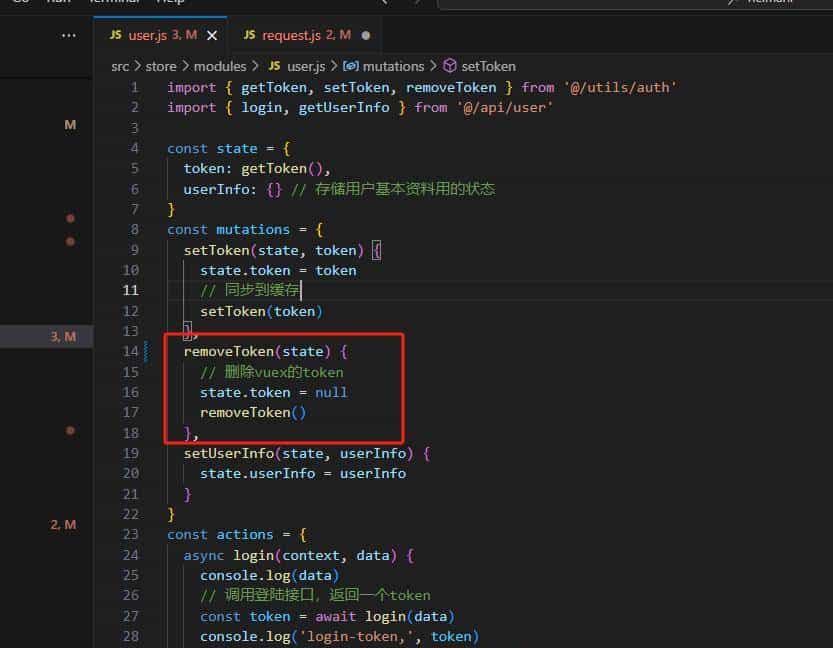
添加removeToken mutations

removeToken(state) {

    // 删除vuex的token

    state.token = null

    removeToken()

},
© 版权声明
文章版权归作者所有,未经允许请勿转载。
相关文章




暂无评论...