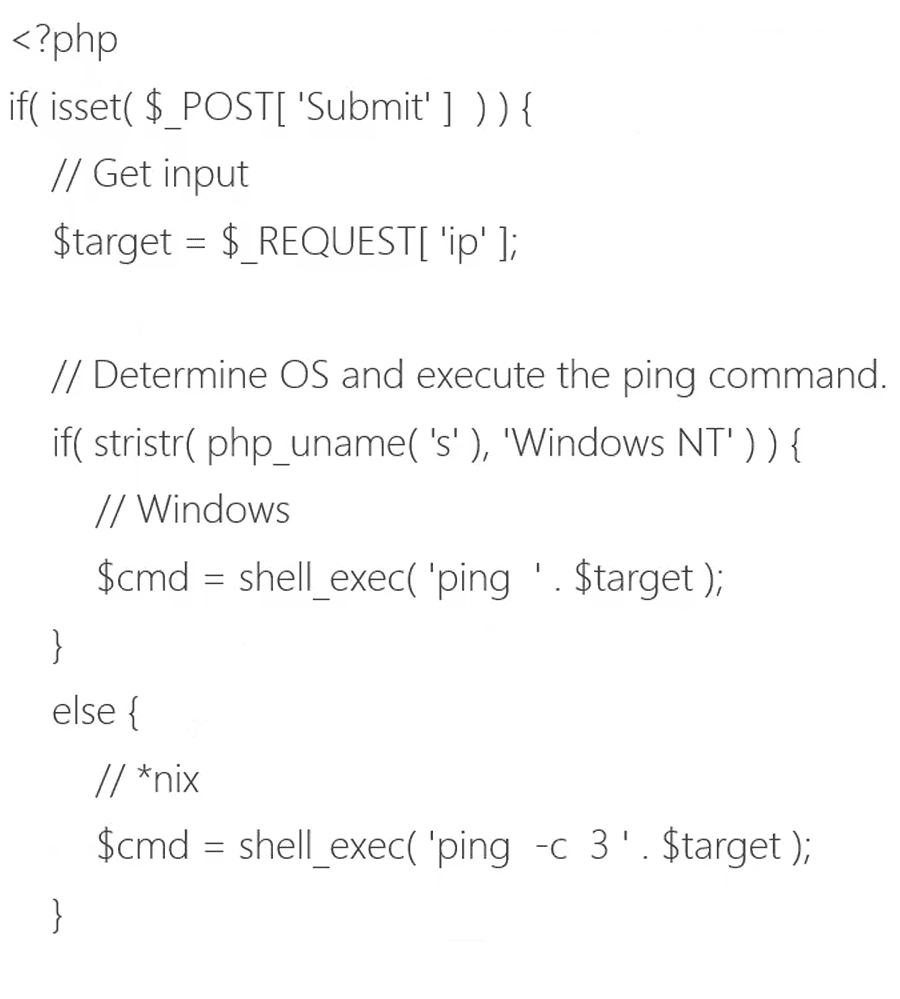
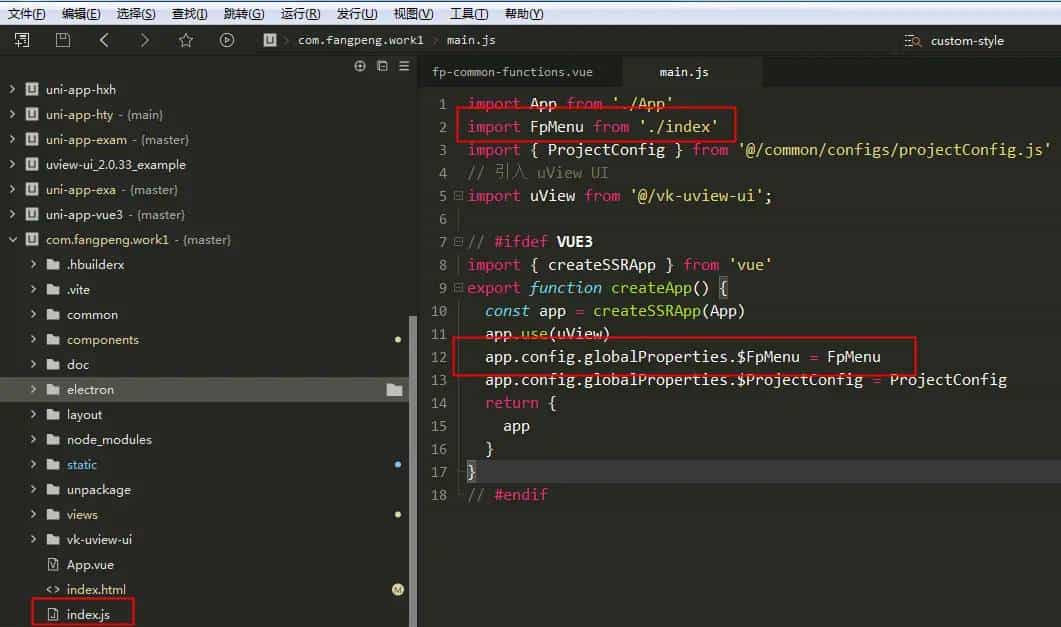
import App from  ./App
import FpMenu from  ./index
import { ProjectConfig } from  @/common/configs/projectConfig.js
// 引入 uView UI
import uView from  @/vk-uview-ui ;

// #ifdef VUE3
import { createSSRApp } from  vue
export function createApp() {
  const app = createSSRApp(App)
  app.use(uView)
  app.config.globalProperties.$FpMenu = FpMenu
  app.config.globalProperties.$ProjectConfig = ProjectConfig
  return {
    app
  }
}
// #endif
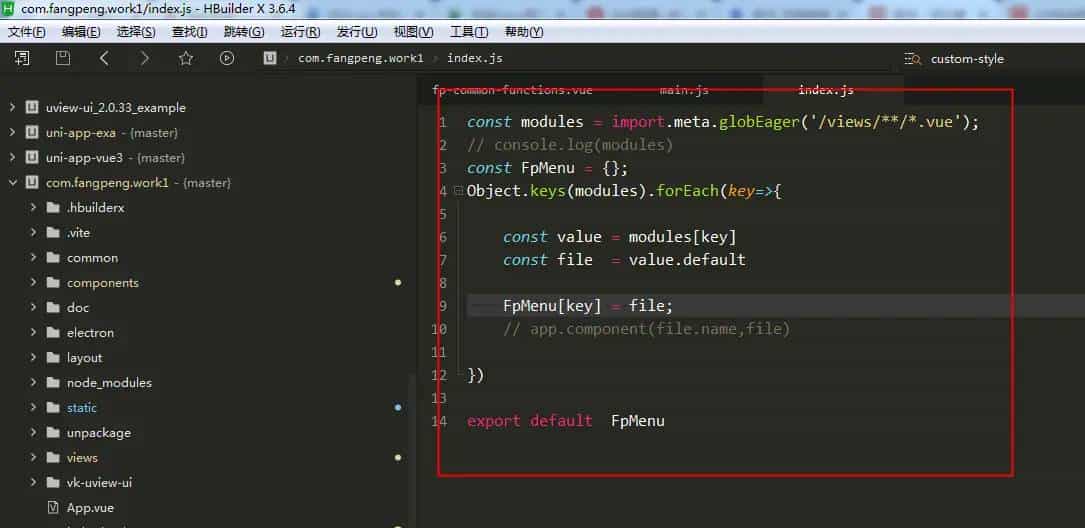
import.meta.globEager 已经弃用,请使用 import.meta.glob( * , { eager: true }) 来取代。
// const modules = import.meta.globEager( /views/**/*.vue );
const modules = import.meta.glob( /views/**/*.vue , { eager: true })
console.log(modules)
const FpMenu = {};
// Object.keys(modules).forEach(key=>{

//  if( key.indexOf( components )!==-1 ){
//      return true;
//  }

//  const value = modules[key]
//  const file  = value.default

//  FpMenu[key] = file;
//  // app.component(file.name,file)

// })


Object.keys(modules).forEach(key => {
    // console.log(modules[key])
  // const nameMatch = key.match(/^../views/(.+).vue/)
  // if (!nameMatch) return
  // const indexMatch = nameMatch[1].match(/(.*)/Index$/i)
  // let name = indexMatch ? indexMatch[1] : nameMatch[1];
  // // 首字母转小写 letterToLowerCase 首字母转大写 letterToUpperCase
  // FpMenu.push({
  //   path: `/${(name[0].toUpperCase() + name.slice(1))}`,
  //   name: `${(name[0].toUpperCase() + name.slice(1))}`,
  //   component: modules[key]
  // });
   modules[key]().then(value=>{
        console.log(value)
        FpMenu[key] = value.default;
    });
  console.log(key)
  // FpMenu[key] = value.default;
})

console.log(FpMenu)
export default  FpMenu
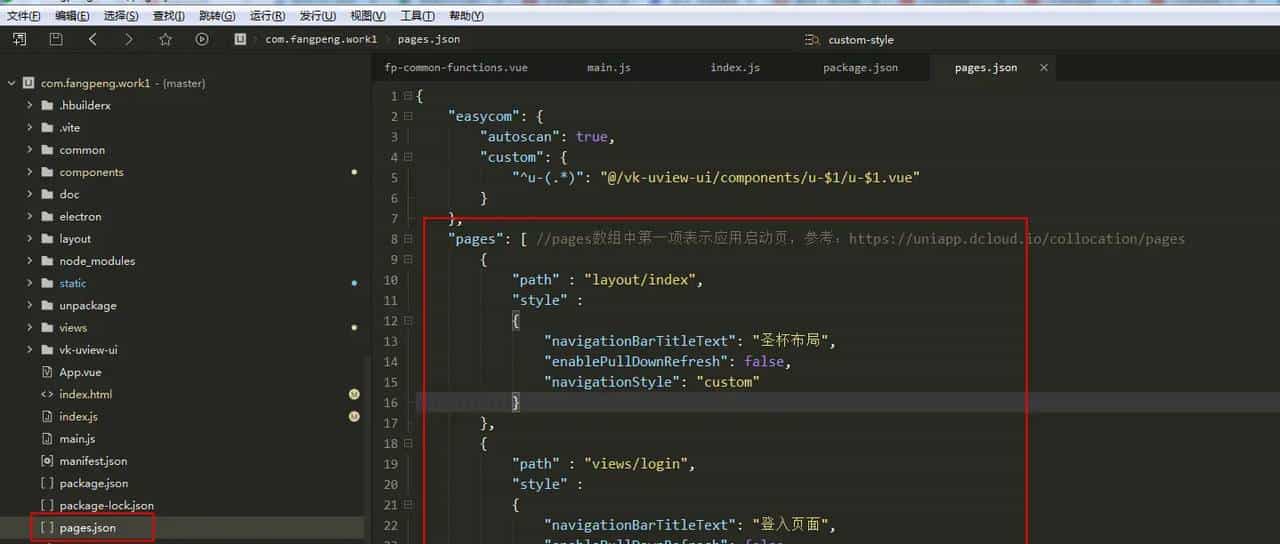
{
    "easycom": {
        "autoscan": true,
        "custom": {
            "^u-(.*)": "@/vk-uview-ui/components/u-$1/u-$1.vue"
        }
    },
    "pages": [ //pages数组中第一项表明应用启动页,参考:https://uniapp.dcloud.io/collocation/pages
        {
            "path" : "layout/index",
            "style" :
            {
                "navigationBarTitleText": "圣杯布局",
                "enablePullDownRefresh": false,
                "navigationStyle": "custom"
            }
        },
        {
            "path" : "views/login",
            "style" :
            {
                "navigationBarTitleText": "登入页面",
                "enablePullDownRefresh": false,
                "navigationStyle": "custom"
            }
        }
    ],
    "globalStyle": {
        "navigationBarTextStyle": "black",
        "navigationBarTitleText": "系统",
        "navigationBarBackgroundColor": "#F8F8F8",
        "backgroundColor": "#F2F2F2",
        "pageOrientation": "auto"
    }

}
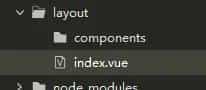
layout/index.vue
<template>

    <view class="layout">

        <view class="head u-flex u-row-between">
            顶部导航
            <view class="u-m-r-50" style="cursor: pointer;" @tap="fpAuthSettingModel.show=true;">
                菜单权限
            </view>
        </view>
        <view class="body">

            <view class="left">
                <!-- 左侧菜单 -->
                <view class="menu-itme" v-for="(item,index) in menuArr" :key="index" @tap="changeMenu(index)">
                    <text>{{item.name}}{{index}}</text>
                </view>

            </view>
            <view class="center">
                <component :is="componentsName"></component>
            </view>
<!--            <view class="right" style="width: 0;">
                右侧菜单
            </view> -->

        </view>

        <view class="foot">
            底部信息
        </view>

        <!-- 权限设置 -->
        <fp-auth-setting ref="fpAuthSettingModel"></fp-auth-setting>


    </view>


</template>

<script setup>

    import {reactive,ref,shallowRef,getCurrentInstance,onMounted } from  vue ;

    import fpAuthSetting from "@/components/fp-auth-setting/fp-auth-setting.vue"


    const fpAuthSettingModel=ref(null);
    // uni.redirectTo({
    //  url:"../views/login"
    // });
    // #ifdef CUSTOM-ELECTRON
    myApi.handleSend()
    if( true ){
        // width  = 429;
        // height = 328;
        myApi.handleSendChangeWinSize(1024,768,function(failback){

            console.log(failback, uni-app@@@@@@@ );
            if(failback){
                // uni.redirectTo({
                //  url:"../views/login"
                // });
            }


        });

    }
    // #endif
    const { proxy } = getCurrentInstance()

    const menuArr = reactive([
        {
            id:1,
            path: /views/index.vue ,
            name: 后台首页 ,
        },
        {
            id:2,
            path: /views/demo/detail1.vue ,//  @/components/navTop.vue ,
            name: pc-详情1 ,
        },
        {
            id:2,
            path: /views/demo/index.vue ,//  @/components/navTop.vue ,
            name: 左侧菜单 ,
        },
        {
            id:2,
            path: /components/Left.vue ,//  @/components/navTop.vue ,
            name: 左侧菜单 ,
        },
        {
            id:2,
            path: /pages/login/login ,//  @/components/navTop.vue ,
            name: 左侧菜单 ,
        },
        {
            id:2,
            path: /pages/login/login ,//  @/components/navTop.vue ,
            name: 左侧菜单 ,
        },
        {
            id:2,
            path: /pages/login/login ,//  @/components/navTop.vue ,
            name: 左侧菜单 ,
        },
        {
            id:2,
            path: /pages/login/login ,//  @/components/navTop.vue ,
            name: 左侧菜单 ,
        },
        {
            id:2,
            path: /pages/login/login ,//  @/components/navTop.vue ,
            name: 左侧菜单 ,
        },
        {
            id:2,
            path: /pages/login/login ,//  @/components/navTop.vue ,
            name: 左侧菜单 ,
        },
        {
            id:2,
            path: /pages/login/login ,//  @/components/navTop.vue ,
            name: 左侧菜单 ,
        }

    ])
    // 默认进入后台首页
    let componentsName = shallowRef(null);
    let componentsPath = uni.getStorageSync(proxy.$ProjectConfig.kUD_Menu_Token);

    componentsName.value = proxy.$FpMenu[componentsPath?componentsPath: /views/index.vue ];

    let changeMenu=(index)=>{
        const path = menuArr[index].path;//  MyTag ;
        componentsName.value = proxy.$FpMenu[path];
        uni.setStorageSync(proxy.$ProjectConfig.kUD_Menu_Token,path);
    }


    onMounted(()=>{
        // 对值进行打印
        // fpAuthSettingModel.show=true
        // console.log(fpAuthSettingModel.value)

    })

</script>

<style lang="scss" scoped>
  .layout{
      background: #F2F2F2;
  }
  .head,
  .foot
  {
    width: 100%;
    height: 7vh;
    background-color: #c8162c;
    font-size: 12px;
  }
  .body {
        width: 100%;
        min-height: 86vh;
        // min-height: 93vh;
        position: relative;
        .left,
        // .right
        {
          float: left;
          width: 12vw;
          height: 86vh;
          overflow-y: auto;
          background-color: pink;
        }
        .menu-itme{
            height: 50px;
            line-height: 50px;
            padding-left: 30rpx;
            cursor: pointer;
            font-size:14px;
        }
        // .right {
        //   float: right;
        // }
        .center {
          position: absolute;
          left: 12vw;
          width: 88vw;
          height: 100%;
          // background-color: lightblue;
          padding: 48rpx;
          box-sizing: border-box;
          overflow-y: auto;
          // background-color: #f5f5f5!important;
        }
  }
</style>
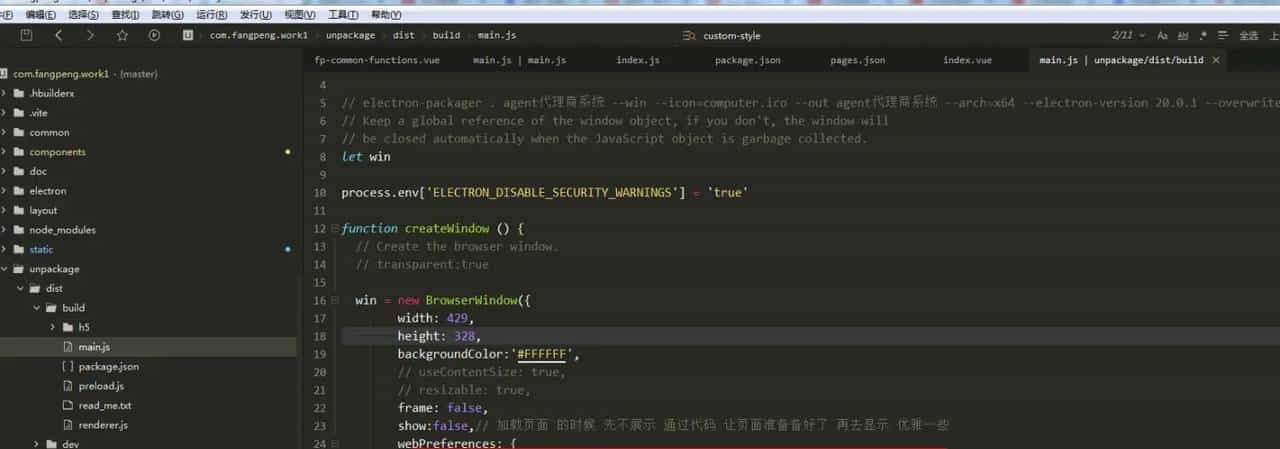
const {app, BrowserWindow, ipcMain} = require( electron )
const path = require( path )
const url  = require( url )

// electron-packager . agent代理商系统 --win --icon=computer.ico --out agent代理商系统 --arch=x64 --electron-version 20.0.1 --overwrite --ignore=node_modules
// Keep a global reference of the window object, if you don t, the window will
// be closed automatically when the JavaScript object is garbage collected.
let win

process.env[ ELECTRON_DISABLE_SECURITY_WARNINGS ] =  true

function createWindow () {
  // Create the browser window.
  // transparent:true

  win = new BrowserWindow({
        width: 429,
        height: 328,
        backgroundColor: #FFFFFF ,
        // useContentSize: true,
        // resizable: true,
        frame: false,
        show:false,// 加载页面 的时候 先不展示 通过代码 让页面准备备好了 再去显示 优雅一些
        webPreferences: {
            preload: path.join(__dirname,  /preload.js ),// path/to/preload.js ,
        },
  })

  // and load the index.html of the app.
  win.loadURL(url.format({
    pathname: path.join(__dirname,  /h5/index.html ),
    protocol:  file: ,
    slashes: true,
  }))

  // Open the DevTools.
  // win.webContents.openDevTools()

  // Emitted when the window is closed.
  win.on( closed , () => {
    // Dereference the window object, usually you would store windows
    // in an array if your app supports multi windows, this is the time
    // when you should delete the corresponding element.
    win = null
  })
  // 通过代码 让页面准备备好了 再去显示 优雅一些
  win.on( ready-to-show ,()=>{
      win.show();
  })

}


// This method will be called when Electron has finished
// initialization and is ready to create browser windows.
// Some APIs can only be used after this event occurs.
app.on( ready , createWindow)

// Quit when all windows are closed.
app.on( window-all-closed , () => {
  // On macOS it is common for applications and their menu bar
  // to stay active until the user quits explicitly with Cmd + Q
  if (process.platform !==  darwin ) {
    app.quit()
  }
})

app.on( activate , () => {
  // On macOS it s common to re-create a window in the app when the
  // dock icon is clicked and there are no other windows open.
  if (win === null) {
    createWindow()
  }
})
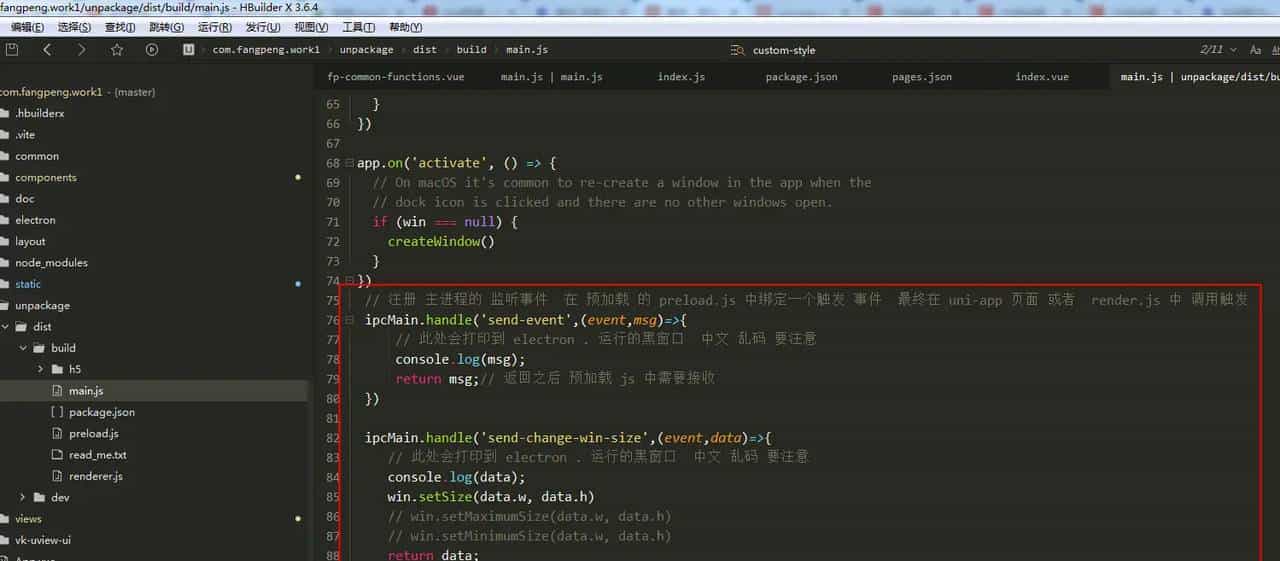
 // 注册 主进程的 监听事件  在 预加载 的 preload.js 中绑定一个触发 事件  最终在 uni-app 页面 或者  render.js 中 调用触发
 ipcMain.handle( send-event ,(event,msg)=>{
     // 此处会打印到 electron . 运行的黑窗口  中文 乱码 要注意
     console.log(msg);
     return msg;// 返回之后 预加载 js 中需要接收
 })

 ipcMain.handle( send-change-win-size ,(event,data)=>{
    // 此处会打印到 electron . 运行的黑窗口  中文 乱码 要注意
    console.log(data);
    win.setSize(data.w, data.h)
    // win.setMaximumSize(data.w, data.h)
    // win.setMinimumSize(data.w, data.h)
    return data;

 })
// In this file you can include the rest of your app s specific main process
// code. You can also put them in separate files and require them here.
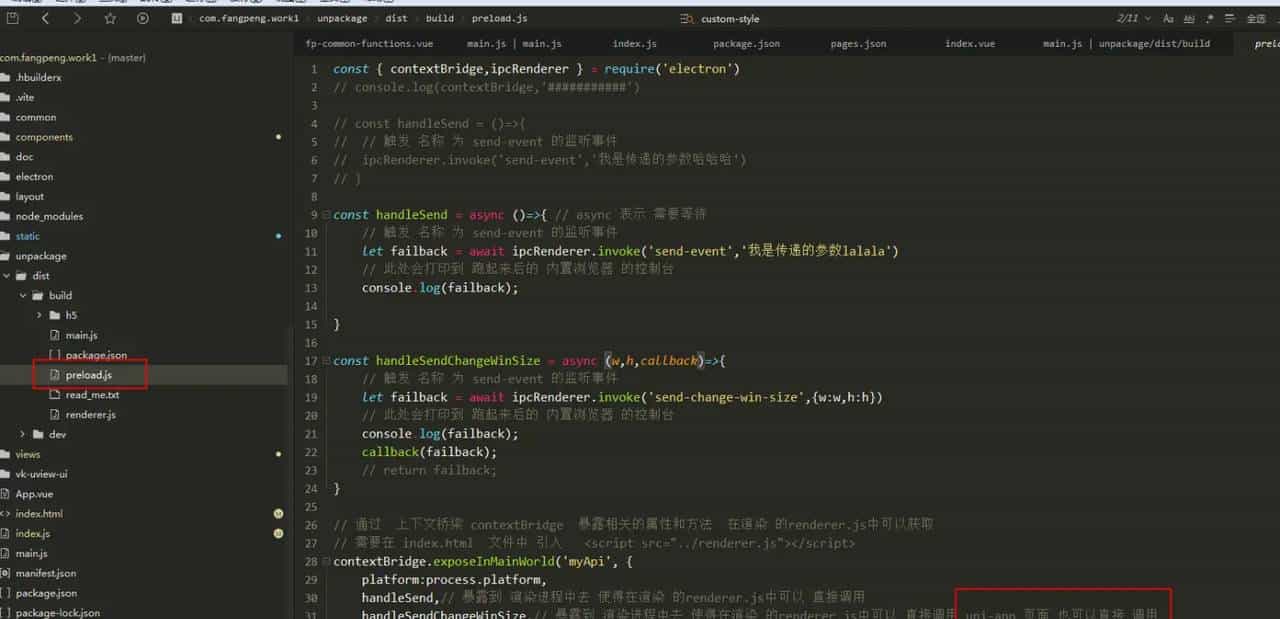
const { contextBridge,ipcRenderer } = require( electron )
// console.log(contextBridge, ########### )

// const handleSend = ()=>{
//  // 触发 名称 为 send-event 的监听事件
//  ipcRenderer.invoke( send-event , 我是传递的参数哈哈哈 )
// }

const handleSend = async ()=>{ // async 异步通信
    // 触发 名称 为 send-event 的监听事件  await 需要等待
    let failback = await ipcRenderer.invoke( send-event , 我是传递的参数lalala )
    // 此处会打印到 跑起来后的 内置浏览器 的控制台
    console.log(failback);

}

const handleSendChangeWinSize = async (w,h,callback)=>{
    // 触发 名称 为 send-event 的监听事件
    let failback = await ipcRenderer.invoke( send-change-win-size ,{w:w,h:h})
    // 此处会打印到 跑起来后的 内置浏览器 的控制台
    console.log(failback);
    callback(failback);
    // return failback;
}

// 通过  上下文桥梁 contextBridge  暴露相关的属性和方法  在渲染 的renderer.js中可以获取
// 需要在 index.html  文件中 引入   <script src="../renderer.js"></script>
contextBridge.exposeInMainWorld( myApi , {
    platform:process.platform,
    handleSend,// 暴露到 渲染进程中去 使得在渲染 的renderer.js中可以 直接调用
    handleSendChangeWinSize,// 暴露到 渲染进程中去 使得在渲染 的renderer.js中可以 直接调用 uni-app 页面 也可以直接 调用
    desktop: true,
    // doAThing: () => {},
    loadPreferences: () => ipcRenderer.invoke( load-prefs ),
        onClickCum:(callback)=>{
        ipcRenderer.on( click , callback)
    },
})
electron 如何 发送数据给 uni-app ???
在 index.html 文件中引入一个 渲染的js文件
<body>
    <script type="module" src="/main.js"></script>
    <!-- #ifdef CUSTOM-ELECTRON -->
    <script src="../renderer.js"></script>
    <!-- #endif -->
  </body>
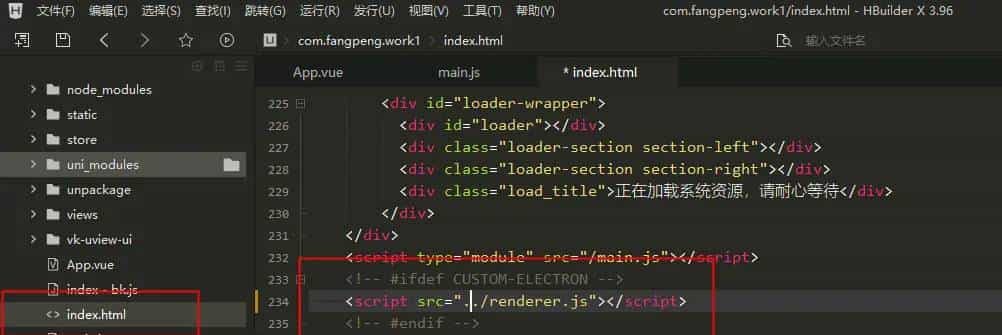
renderer.js代码
console.log(window.myApi)
console.log(window.myApi.platform)
// 直接 调 用 预加载 js 中 暴露的方法
// window.myApi.handleSend()
// 或者 去掉 window
// myApi.handleSend()
myApi.loadPreferences()
myApi.onClickCum(()=>{
    console.log( @@@@@@@@ )
})
效果图
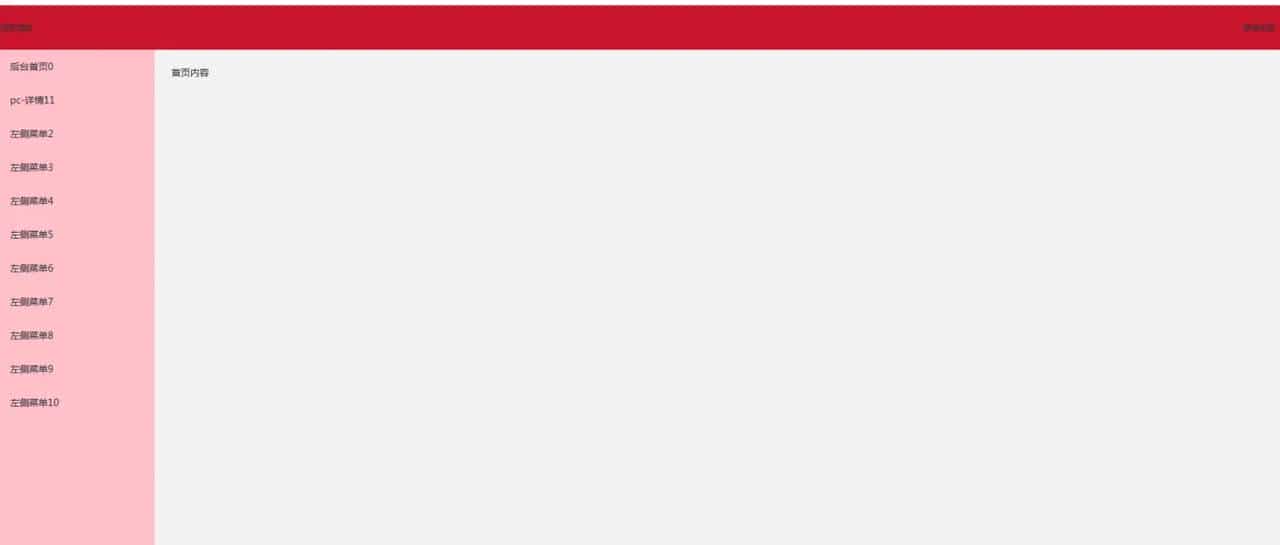
uni-app uniapp vite vue3 后端界面布局 electron 数据 通信
Uniapp+Vite+Vue3+Electron 快速构建桌面应用
遗留问题 : vite import() 引入的所有组件 打包后全部挤压在一块 index-xdfwweewfe.js 中
文件过大 ,需要怎么分包???
回答:
// eager: false  这个设置为 false  打包时就会分包
let modules = import.meta.glob( /pages/**/*.vue , { eager: false});

const router = [
    {
        path: "/index",
        name: "控制面板",
        meta: {
            keepAlive: true //设置页面是否需要使用缓存
        },
        // component: () => import("@/pages/index.vue")
    },
    {
        path: "/test/test",
        name: "测试菜单",
        meta: {
            keepAlive: true //设置页面是否需要使用缓存
        },
        // component: () => import("@/pages/test/test.vue")
    }
];
切换路由时:循环 router
  <view v-for="(item,index)  in  router" :key="item"
  @tap="()=>{
      item.component().then((res)=>{
    tools.path = res.default;
      });
    }">
      菜单{{item.name}}名称
  </view>
  <component :is="tools.path"></component>
© 版权声明
文章版权归作者所有,未经允许请勿转载。
相关文章




暂无评论...