一、相对定位——relative
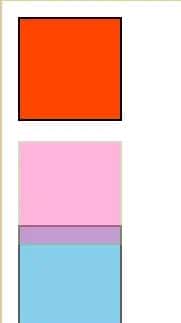
有偏移量(left、right、top、bottom)时,元素相对于自身进行偏移,元素不脱离文档流(在原位置还占有空间),不影响其他元素布局。
<style>
    #one{
        width: 50px;
        height: 50px;
        background: orangered;
        border: 1px solid #000;
    }
    #two{
        width: 50px;
        height: 50px;
        background: hotpink;
        border: 1px solid #aaaa7f;
        position: relative;
        top: 10px;
        opacity: 0.5;
    }
    #three{
        width: 50px;
        height: 50px;
        background: skyblue;
        border: 1px solid #5c5c5c;
    }
</style>

<body>
    <div id="one"></div>
    <div id="two"></div>
    <div id="three"></div>
</body>
二、绝对定位——absolute
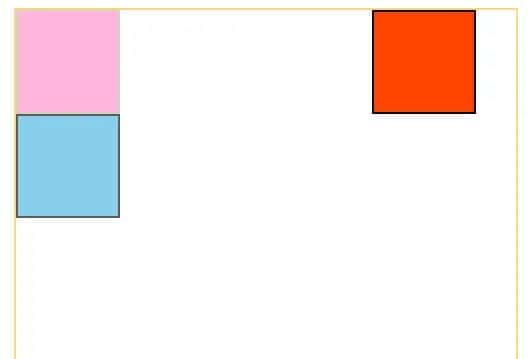
有祖先元素时,当祖先元素有了任一position(绝对、相对、固定),且子元素设置为绝对定位后,子元素相对于当前的祖先元素进行偏移;子元素会脱离文档流(后面的div会覆盖上来);绝对定位使内联元素支持宽高(块特征),使块元素的默认宽根据内容决定(内联特征)。
<style>
    #father{
        width: 250px;
        height: 200px;
        border: 1px solid #FFD47F;
        position: relative;
    }
    #one{
        width: 50px;
        height: 50px;
        background: orangered;
        border: 1px solid #000;
        position: absolute;
        right: 20px;
        top: 0px;
    }
    #two{
        width: 50px;
        height: 50px;
        background: hotpink;
        border: 1px solid #aaaa7f;
        opacity: 0.5;
    }
    #three{
        width: 50px;
        height: 50px;
        background: skyblue;
        border: 1px solid #5c5c5c;
    }
</style>

<body>
    <div id="father">
        <div id="one"></div>
        <div id="two"></div>
        <div id="three"></div>
    </div>
</body>
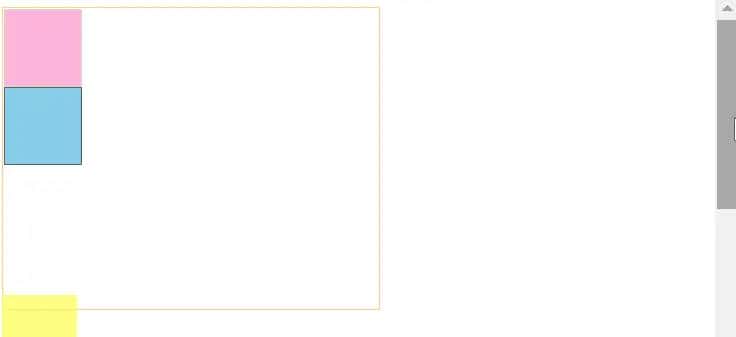
三、固定定位——fixed
使元素脱离文档流,使内联元素支持宽高,使块元素的默认宽根据内容决定;相对于整个浏览器窗口进行偏移,不受浏览器滚动条影响。
四、粘性定位——sticky
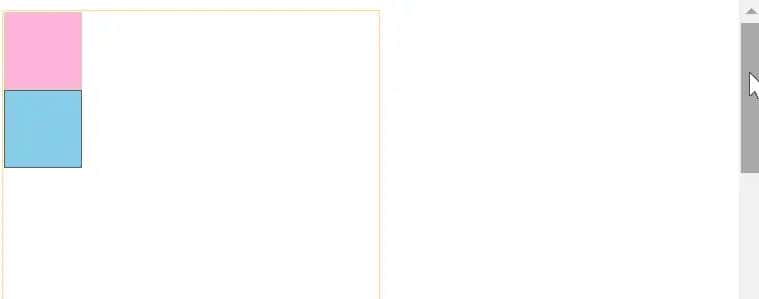
在指定位置,进行粘性操作。
https://www.bilibili.com/video/BV1gt4y1m7Eo
© 版权声明
文章版权归作者所有,未经允许请勿转载。
相关文章



暂无评论...