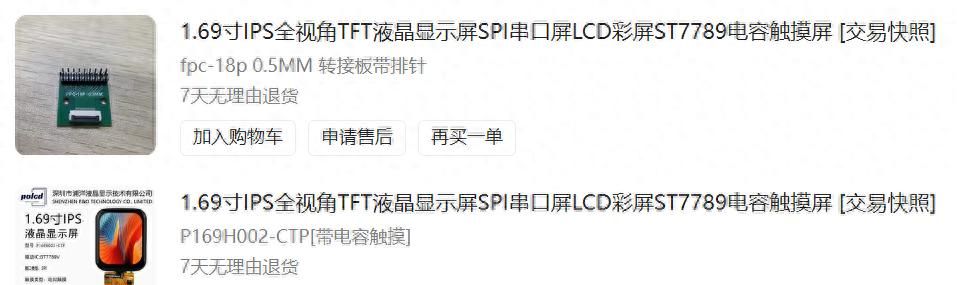
一、采购显示屏和驱动板卡
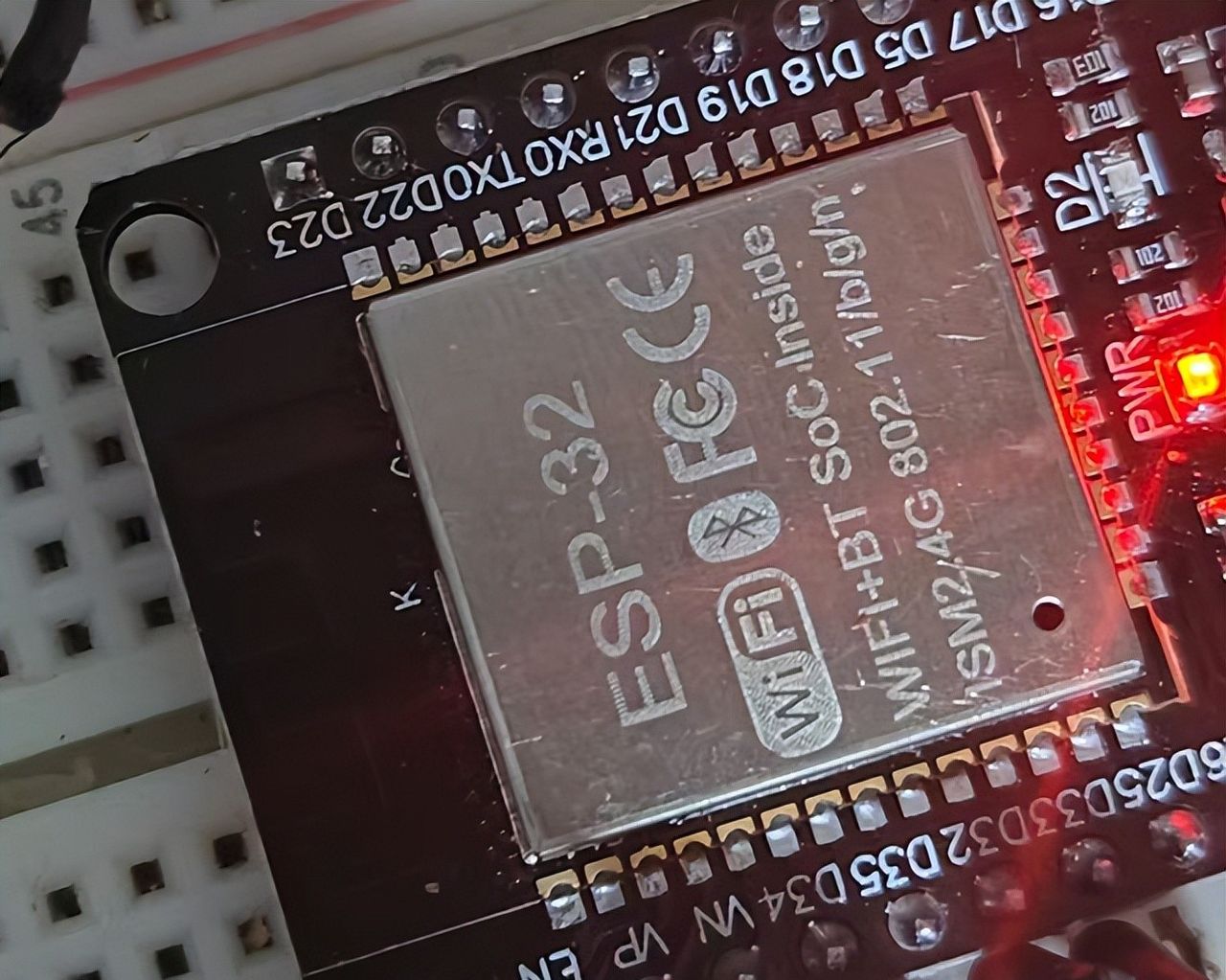
二、使用ESP32 板卡
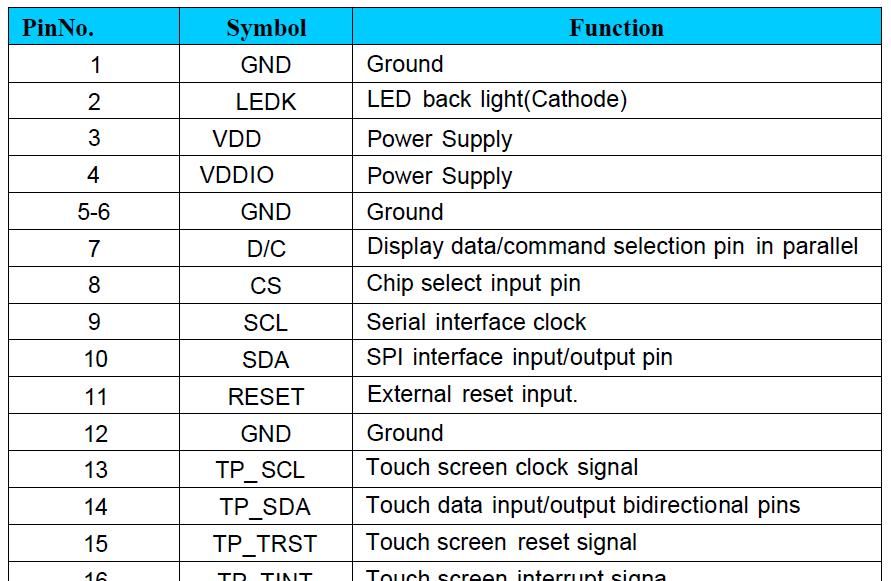
三、屏幕pin脚说明
四、验证中遇到的坑:
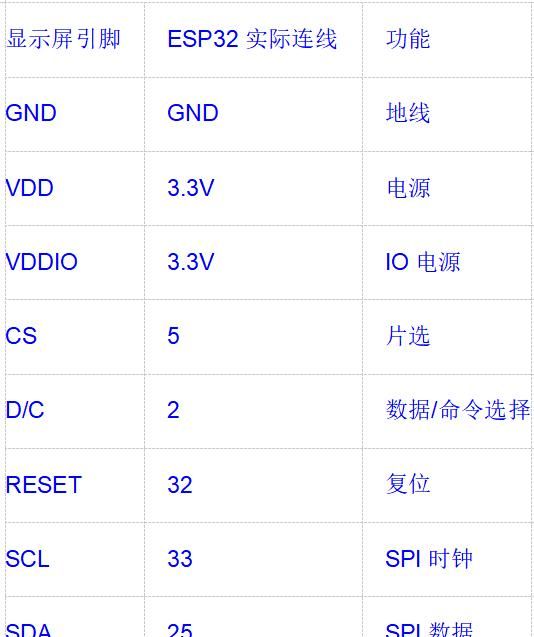
必须将CS和D/C引脚从34、35改为可用的输出引脚(如5和2),这是硬件限制,无法通过软件解决。
pin脚接线图:
五、程序
#include <TFT_eSPI.h>
#include <SPI.h>

TFT_eSPI tft = TFT_eSPI();

// 使用推荐的引脚
// const int TFT_CS = 5;    // 从34改为5
// const int TFT_DC = 2;    // 从35改为2
// const int TFT_RST = 32;
const int TFT_SCL = 33;
const int TFT_SDA = 25;
// const int TFT_BL = 26;

void displayTest();
void checkTouch();
void rainbowTest();


// 触摸屏引脚定义
#define TP_SCL  19
#define TP_SDA  22
#define TP_TRST 21
#define TP_TINT 17

void setup() {
  Serial.begin(115200);

  // 初始化显示屏
  tft.init();
  tft.setRotation(1); // 根据实际方向调整 0-3
  tft.fillScreen(TFT_BLACK);

  // 设置背光
  pinMode(15, OUTPUT);
  digitalWrite(15, LOW); // 开启背光

  // 初始化触摸屏引脚(如果需要)
  pinMode(TP_TRST, OUTPUT);
  pinMode(TP_TINT, INPUT);
  digitalWrite(TP_TRST, HIGH); // 释放触摸屏复位

  Serial.println("显示屏初始化完成");

  // 显示测试内容
  displayTest();
}

void loop() {
  // 触摸检测示例
  checkTouch();
  delay(100);
}

void displayTest() {
  // 绘制测尝试形
  tft.setTextColor(TFT_WHITE, TFT_BLACK);
  tft.setTextSize(2);
  tft.setCursor(10, 10);
  tft.println("Hello ESP32!");

  tft.setTextSize(1);
  tft.setCursor(10, 40);
  tft.println("ST7789 1.69" Display");

  // 绘制一些图形
  tft.drawRect(10, 70, 100, 50, TFT_RED);
  tft.fillCircle(60, 95, 20, TFT_BLUE);

  // 填充矩形
  tft.fillRect(120, 70, 80, 50, TFT_GREEN);
  tft.setTextColor(TFT_BLACK, TFT_GREEN);
  tft.setCursor(130, 85);
  tft.println("TEST");
}

void checkTouch() {
  // 这里添加触摸检测代码
  // 注意:需要额外的触摸驱动库来读取TP_SDA和TP_SCL
  // 这是一个简单的示例框架

  // 检查触摸中断引脚
  if(digitalRead(TP_TINT) == LOW) {
    Serial.println("触摸检测到!");
    // 在这里添加触摸坐标读取逻辑
  }
}

// 绘制彩虹渐变
void rainbowTest() {
  for(int i = 0; i < tft.width(); i++) {
    int hue = i * 360 / tft.width();
    tft.drawFastVLine(i, 0, tft.height(), tft.color565(
      sin(hue * 0.0174533) * 127 + 128,
      sin((hue + 120) * 0.0174533) * 127 + 128,
      sin((hue + 240) * 0.0174533) * 127 + 128
    ));
  }
}
六、User_Setup.h
#define USER_SETUP_INFO "User_Setup"
#define ST7789_DRIVER
#define TFT_WIDTH  240
#define TFT_HEIGHT 280

// 使用修正后的引脚
#define TFT_CS   5    // 重大:改为5
#define TFT_DC   2    // 重大:改为2
#define TFT_RST  32

#define TFT_MOSI 25   // SDA
#define TFT_SCLK 33   // SCL

#define TFT_BL   26
#define TFT_BACKLIGHT_ON LOW

#define SPI_FREQUENCY  27000000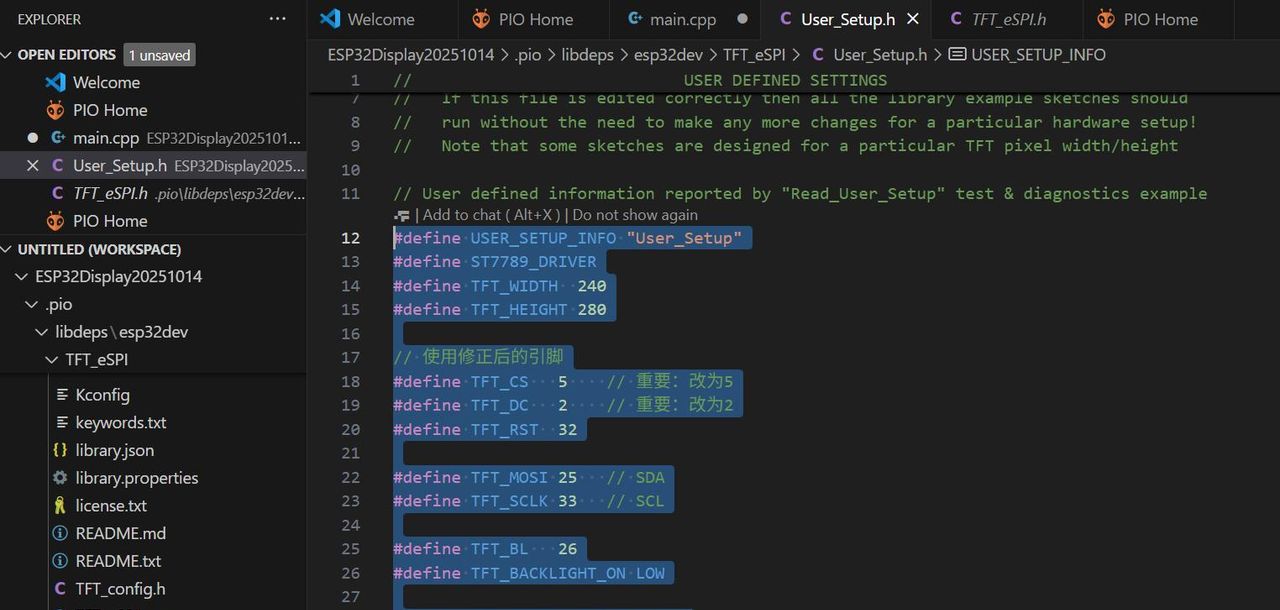
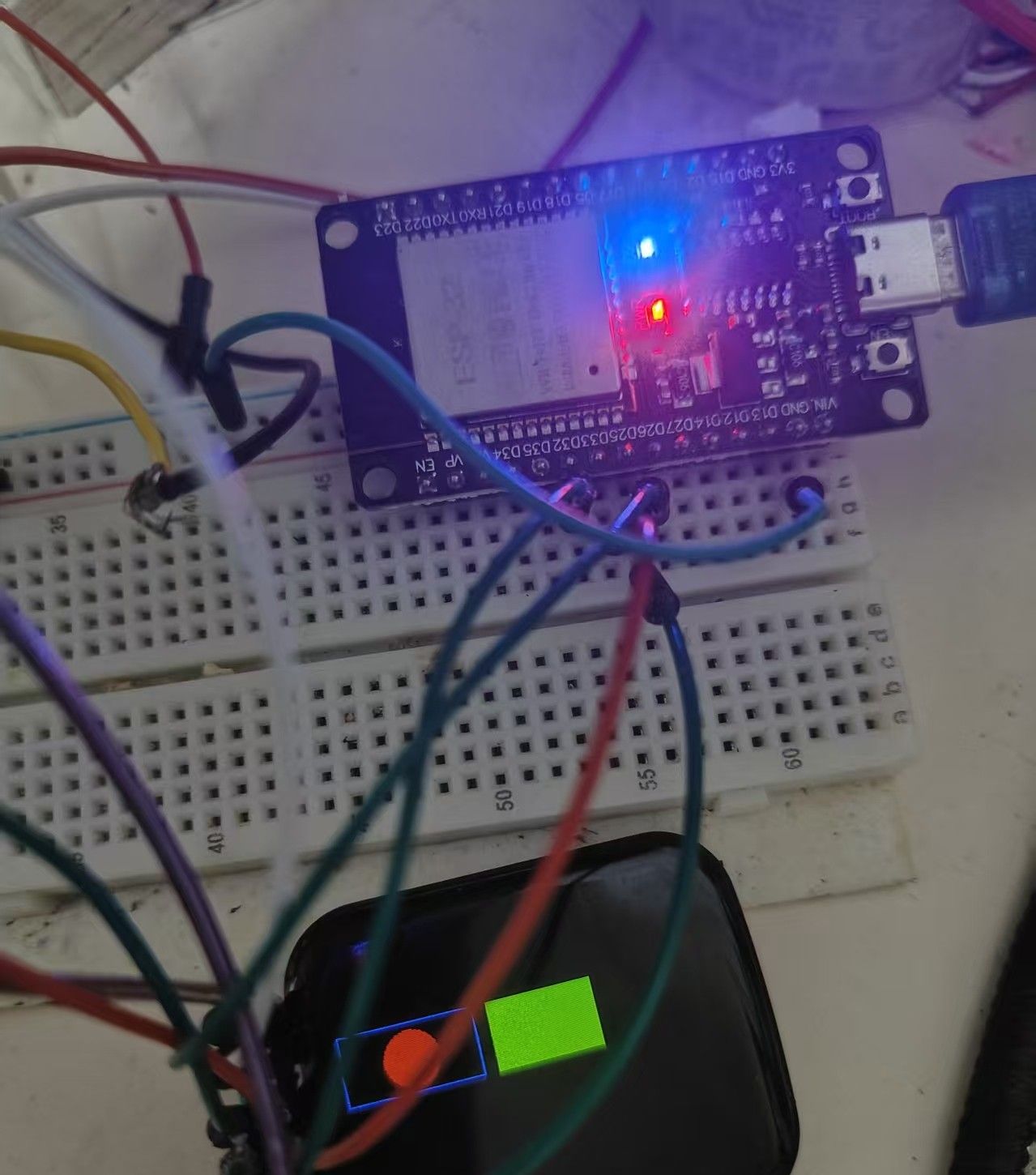
七、效果
© 版权声明
文章版权归作者所有,未经允许请勿转载。
相关文章




暂无评论...