前情提要:当页面有许多图片要展示的时候,为了不造成资源浪费,暂未在窗口可视区域的图片,可以采用图片懒加载的功能。
1. 安装VueUse npm i @vueuse/core
VueUse 是一个基于 Composition API 的实用程序函数集合。
VueUse 官网地址:https://vueuse.org
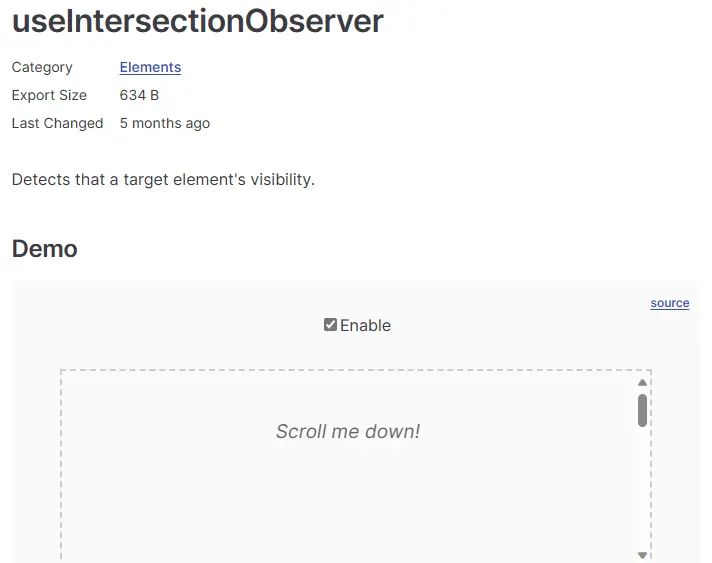
useIntersectionObserver函数 如下图介绍
2. 在main.js中全局注册该自定义指令
import { useIntersectionObserver } from  @vueuse/core

// 定义全局命令
app.directive( img-lazy , {
    mounted(el, binding) {
        // el:指定绑定的那个元素   img
        // binding: binding.value 指令等于后面绑定的表达式的值 图片的地址
        console.log(el, binding)
        useIntersectionObserver(
            el,
            ([{ isIntersecting }]) => {
                if (isIntersecting) {
                    el.src = binding.value
                }
            },
        )
    }
})
3. 在页面使用该指令
<img v-img-lazy="item.picture" alt="">
刷新页面,发现图片懒加载功能已经实现。
代码优化
思考:懒加载指令放在main.js入口文件里面合理吗?
答:不合理,入口文件一般只做一些初始化的事情,不应该包含太多的逻辑的代码,可以通过插件的方法,把懒加载指令封装为插件。
- 在src下面新建directives/index.js 文件
import { useIntersectionObserver } from  @vueuse/core

export const lazyPlugin = {
    install(app) {
        // 定义懒加载指令
        app.directive( img-lazy , {
            mounted(el, binding) {
                console.log(el, binding)
                useIntersectionObserver(
                    el,
                    ([{ isIntersecting }]) => {
                        if (isIntersecting) {
                            el.src = binding.value
                        }
                    },
                )

            }
        })
    }
}
- 在main.js入口文件中注册该组件
import { lazyPlugin } from  @/directives
app.use(lazyPlugin)
问题:useIntersectionObserver 对于函数的监听是一直都存在的,除非手动停止监听,否则会造成资源浪费问题。
解决思路:在图片的第一次加载完成之后就停止监听
const { stop } = useIntersectionObserver(
      el,
      ([{ isIntersecting }]) => {
           if (isIntersecting) {
               el.src = binding.value
                stop()
            }
       },
)
以上就是今天写的内容啦,希望和大家一起共同学习,如果有错误希望给我回复喔O(∩_∩)O~
© 版权声明
文章版权归作者所有,未经允许请勿转载。
相关文章



暂无评论...